You can start a YouTube channel in about five minutes with a free Google account. The setup is the easy part. What decides whether the channel grows is the planning before your first upload: who the channel is for, what you'll post every week, and how each video gets found.
This guide walks through how to start a YouTube channel step by step in 2026, from picking a niche to making money, including how to do it on your phone and with no budget.
How to start a YouTube channel step by step
Step 1: Pick a niche and an audience
Decide what your channel is about and who it's for before you create anything. "Cooking" is too broad. "Quick dinners for students with one pan" tells viewers exactly why to subscribe, and it tells YouTube which viewers to show your videos to.
A good niche passes three tests:
You could make 30 videos on it without running out of ideas.
People already search for it. Type your topic into YouTube's search bar and look at the suggestions.
You can bring something to it, such as experience, a style, or a point of view the top channels don't have.
Step 2: Create your YouTube channel
You need a Google account. If you plan to run the channel under a brand or business name, or to give other people access later, create it as a Brand Account (the steps below do that automatically when you choose "Create a new channel").
On a computer:
Go to youtube.com and sign in with your Google account.
Click your profile picture in the top right, then Settings.
Click Add or manage your channel(s).
Click Create a channel (uses your Google name) or Create a new channel (lets you pick any name and creates a Brand Account).
Add a profile picture, a channel name, and a handle, then click Create channel.
How to start a YouTube channel on your phone
Open the YouTube app, sign in, and tap your profile picture. If your account doesn't have a channel yet, you'll see an option to create one. Add your name, handle, and picture, and you're done. If you need a channel with a different name than your Google account, open youtube.com in your phone's browser and follow the computer steps above, which also work on the mobile site.
Install the YouTube Studio app as well. It's where you manage videos, read comments, and check analytics from your phone.
Step 3: Verify your channel
New channels start with standard features. Verifying a phone number unlocks intermediate features, including uploads longer than 15 minutes, custom thumbnails, and live streaming from a computer.
Go to YouTube Studio, then Settings, Channel, Feature eligibility, and choose to verify your phone number. Do this before your first upload, so you're not stuck with an auto-generated thumbnail on your first video.
Advanced features, like clickable links in descriptions and pinned comments, unlock later through channel history or ID verification.
Step 4: Set up your channel page
Visitors decide in a few seconds whether to subscribe, so fill in every part of the page before you publish:
Profile picture: a clear face or simple logo that's readable at small sizes.
Banner: 2560 x 1440 pixels, with text kept in the center safe area so it isn't cut off on phones. The YouTube Banner Resizer sizes it for you.
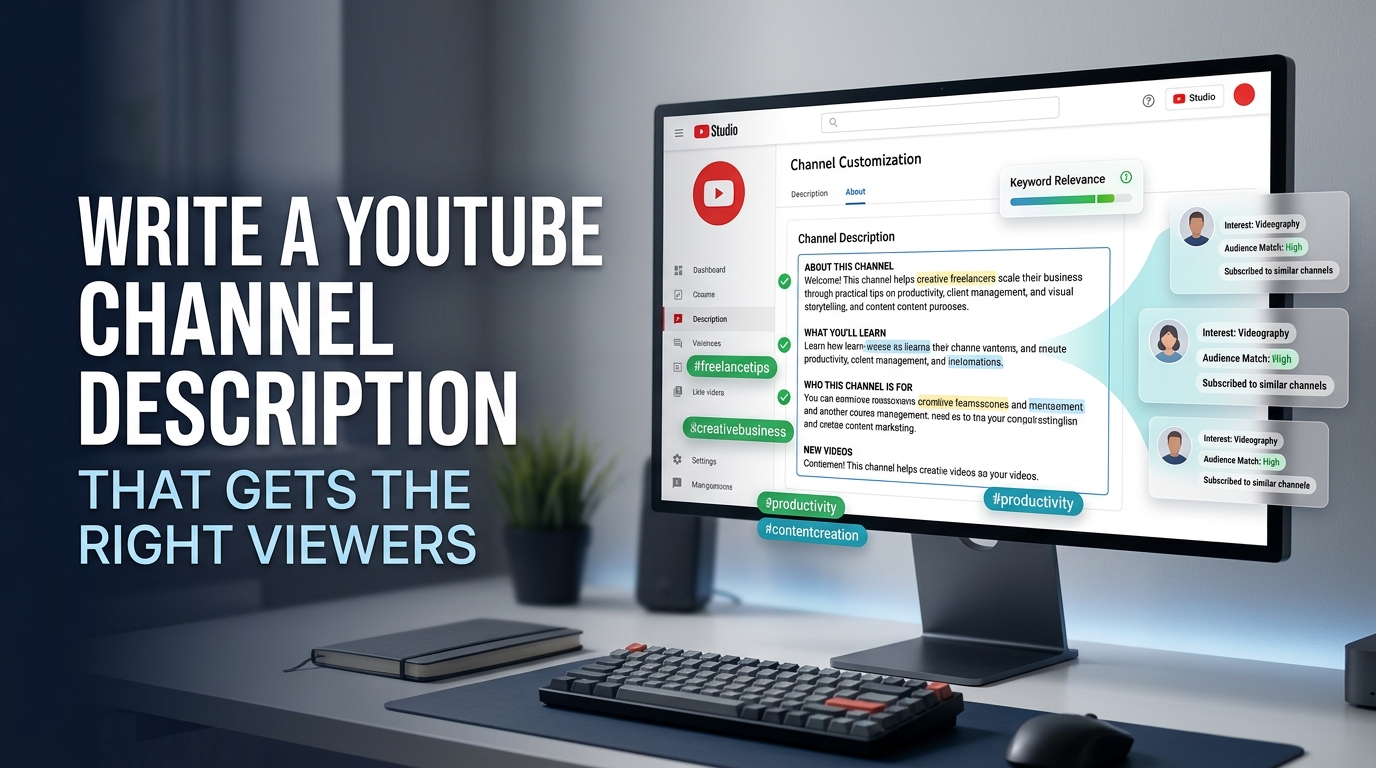
Description: who the channel is for, what you post, and how often. Our guide on how to write a YouTube channel description has templates.
Handle: short, easy to spell, and matching your channel name if possible. If you're stuck on a name, try the YouTube Name Generator.
Step 5: Get the basic gear (your phone is enough)
A recent smartphone shoots good enough video for almost any new channel. Spend money in this order, and only when the free option is holding you back:
Sound. Viewers forgive average video but click away from bad audio. A cheap clip-on (lavalier) microphone is the best first purchase.
Light. Face a window during the day. A ring light or small LED panel helps if you film at night.
Stability. A basic phone tripod stops shaky footage.
Editing software. Free options like CapCut, DaVinci Resolve, and the YouTube Create app cover everything a beginner needs.
How much does it cost to start a YouTube channel?
Starting a YouTube channel costs nothing. Creating the channel and uploading are free. Here's what a typical beginner setup looks like:
Item | Free option | Low-budget upgrade |
|---|---|---|
Camera | Your phone | Not needed at first |
Microphone | Phone mic in a quiet room | Clip-on lavalier mic, roughly $20 to $50 |
Lighting | A window | Ring light or LED panel, roughly $20 to $60 |
Tripod | A stack of books | Phone tripod, roughly $15 to $30 |
Editing | CapCut, DaVinci Resolve, YouTube Create | Paid editors later, if ever |
Thumbnails | Canva free plan | Canva Pro |
Prices vary by country and brand, so treat these as rough ranges.
How to start a YouTube channel with no money
Use your phone, natural light, free editing apps, and free tools for the rest: YouTube's Audio Library for music, Canva for thumbnails, and YT Crew's free tools for the small jobs like resizing thumbnails, making chapters, and finding hashtags. Put your first money into a microphone.
Step 6: Plan your first 10 videos
Write down 10 video ideas before you film the first one. It shows you whether the niche has enough in it, and it keeps you uploading when motivation drops.
Mix two kinds of videos:
Search videos answer questions people type into YouTube, like "how to fix a squeaky door". They bring steady views over time.
Interest videos are ones your audience would enjoy even if they weren't searching, like a challenge, a story, or a ranking. They're how channels get recommended.
Step 7: Make your first video
Keep it simple. Write a short outline, not a full script, and get to the point in the first 15 seconds by telling viewers what they'll get. Cut long pauses and repeated takes when you edit. Your first video won't be your best, and it doesn't need to be.
Step 8: Upload and optimize the video
Each upload has a few fields that help people find it:
Title: put the main keyword near the start and make it something a person would click. Under 60 characters is safest.
Thumbnail: big face or object, three words or fewer, readable on a phone screen. Size it at 1280 x 720.
Description: a two-line summary with your keyword at the top, then links and chapters.
Chapters: timestamps starting at 0:00 split long videos into sections and can show in search results.
Hashtags: two or three relevant ones are enough.
Audience setting: say whether the video is made for kids. This is required by law, so answer honestly.
Tags matter less than most people think. YouTube says they play a minimal role, mostly helping with commonly misspelled topics.
Step 9: Post on a schedule you can keep
One video a week that you actually publish beats three a week that you burn out on in a month. Pick a day and stick to it so viewers know when to come back. Shorts can fill the gaps: a 30-second clip from a longer video is an easy way to reach new viewers.
Step 10: Learn from your analytics and grow
After about 10 videos, open YouTube Analytics and look at two numbers for each video:
Impressions click-through rate: how often people who saw the thumbnail clicked. If it's low, change the title or thumbnail.
Average view duration: how long people watched. If they leave early, the video didn't deliver what the title promised, or the intro took too long.
Make more of what works: find your best video by both numbers and make the next one in the same format.
A few more tips on how to start a successful YouTube channel:
Reply to early comments. Your first 100 viewers are the ones who tell their friends.
Collaborate with channels your size.
Add an end screen to every video that points to your next one.
Share videos where your audience already hangs out, like Reddit, Facebook groups, or Discord servers, without spamming.
How to start different types of YouTube channels
The 10 steps work for any channel. These are the extra things to know for the most popular types.
How to start a faceless YouTube channel
You can start a YouTube channel without showing your face. Common formats are voiceover explainers, screen recordings, animation, hands-only tutorials, and footage with narration. A good microphone matters more here than anywhere else, since your voice carries the channel.
Be careful with mass-produced content. In July 2025, YouTube renamed its "repetitious content" policy to "inauthentic content", and channels that pump out near-identical, template-based videos can't earn money, whether they use AI or not. Faceless channels with original scripts, research, and editing are still eligible. If you use AI to make realistic people or events, you also need to disclose it when you upload.
How to start a kids YouTube channel
You must be 13 or older to own a YouTube channel (older in some countries), so a channel featuring young children has to be run by a parent. Videos made for kids must be marked "made for kids" in YouTube Studio, which turns off comments and personalized ads and limits some features. Read our full guide on how to start a kids YouTube channel before you upload.
How to start a gaming YouTube channel
You'll need screen capture: OBS Studio is free on PC, and most consoles have built-in recording. Pick a few games and a clear angle, such as guides, challenges, or commentary, instead of uploading raw gameplay, which is hard to grow. Check each game publisher's video policy, since most allow monetized gameplay videos but a few have limits.
How to start a YouTube podcast channel
Film the conversation with a camera or webcam per person, or start audio-only with a static image. Once your channel has intermediate features, you can create a podcast in YouTube Studio so episodes appear in YouTube's podcast sections. With advanced features, you can also upload episodes automatically through an RSS feed. Clip the best moments into Shorts to bring in new listeners.
How to start a music or lofi YouTube channel
Only upload music you made or have a license to use. Other people's songs get Content ID claims, which send the ad money to the rights holder or block the video. Lofi channels usually license tracks from producers or make their own, then pair them with original or licensed artwork. Long streams and multi-hour mixes are the common format.
How to start a fitness YouTube channel
Fitness viewers follow along, so film so they can see the whole movement, ideally from the side and front. Workout plans and series (like "30 days of home workouts") keep people coming back. Add a short safety note, and avoid medical claims you can't back up.
How to start a reaction channel on YouTube
Reaction channels use other people's content, so they're the most likely to get copyright claims. Add real commentary, show only the parts you're reacting to, and avoid playing a whole video or song with you sitting quietly on top. Fair use depends on the case and isn't guaranteed. Monetization also needs your contribution to be the main thing viewers watch for.
How to start a YouTube channel for business (or a hotel)
Create the channel as a Brand Account so several team members can manage it without sharing a password. Then make videos that answer what customers ask before they buy. A hotel, for example, could post room tours, a guide to the neighborhood, and "how to get here from the airport" videos. These keep getting views for years and send bookings straight to your site.
How to start a YouTube channel as a teenager
You can own a channel from 13 (the minimum age is higher in some countries). Keep personal details like your school, address, and phone number out of videos. If you get into the Partner Program before you turn 18, your earnings go through a parent or guardian's AdSense account.
How to start a YouTube channel and make money
YouTube pays creators through the YouTube Partner Program (YPP), which has two levels:
Level | What it unlocks | Requirements today |
|---|---|---|
Fan funding | Memberships, Super Chat, Super Thanks, Shopping | 500 subscribers, 3 public uploads in 90 days, and 3,000 watch hours in 12 months or 3 million Shorts views in 90 days |
Ad revenue | Everything above plus ads and YouTube Premium revenue | 1,000 subscribers and 4,000 watch hours in 12 months or 10 million Shorts views in 90 days |
From February 1, 2027, new applicants for ad revenue will need 8,000 watch hours or 20 million Shorts views, while the 1,000-subscriber minimum stays the same. If you're starting now, plan around the higher number.
You don't have to wait for YPP to earn. Many small channels make money first from:
Affiliate links: a commission when viewers buy products you recommend.
Sponsorships: brands pay for a mention. Small channels with a focused audience get these sooner than you'd expect.
Your own products or services: courses, templates, coaching, or bookings for a local business.
Track your progress toward YPP with the Watch Time Calculator, and once you're in, learn how to check your YouTube monetization status.
Mistakes new YouTubers make
Picking a topic only because it pays well. If you're not interested, you'll stop by video 10.
Waiting for perfect gear. Your phone is fine. Bad audio is the only gear problem worth fixing early.
Long intros. Viewers decide in the first few seconds whether to stay. Start with what they came for.
Copying other channels' videos. Reused or barely changed content can't be monetized and usually doesn't grow.
Buying views or subscribers. It breaks YouTube's rules, and fake viewers don't watch, which tells YouTube your videos aren't worth recommending.
Quitting too early. Most channels see little traction for the first months. The ones that grow are the ones still uploading.
Frequently asked questions
How do I start a YouTube channel for beginners?
Pick a specific niche, create the channel from your Google account, verify your phone number, set up your profile and banner, plan 10 videos, and post on a weekly schedule.
How much does it cost to start a YouTube channel?
Nothing. The channel is free, and a smartphone with free editing apps is enough to start. A clip-on microphone is the most useful first purchase.
Can I start a YouTube channel on my phone?
Yes. Create the channel in the YouTube app, film on your phone, edit with a free app like CapCut or YouTube Create, and manage it with the YouTube Studio app.
Can I start a YouTube channel without showing my face?
Yes. Voiceovers, screen recordings, animation, and hands-only videos all work. Keep each video original, since mass-produced, template-based videos can't be monetized.
How old do you have to be to start a YouTube channel?
At least 13 in most countries, and older in some. Younger children can appear in a channel that a parent owns and runs.
How long does it take to make money on YouTube?
It depends on your niche and how often you post. Many channels take a year or more to reach the Partner Program, but affiliate links and sponsorships can start earlier.
How many subscribers do you need to get paid on YouTube?
500 for fan funding features like memberships, and 1,000 for ad revenue, along with the watch hour or Shorts view requirements.
Is it too late to start a YouTube channel in 2026?
No. New channels grow every day, especially in specific niches where the big channels don't go deep. The earlier you start, the sooner you learn what your audience wants.
Start your channel today
Pick your niche, create the channel, and write down your first 10 video ideas this week. Use YT Crew's free YouTube tools for thumbnails, chapters, and hashtags as you go, and upload your first video before you feel ready.