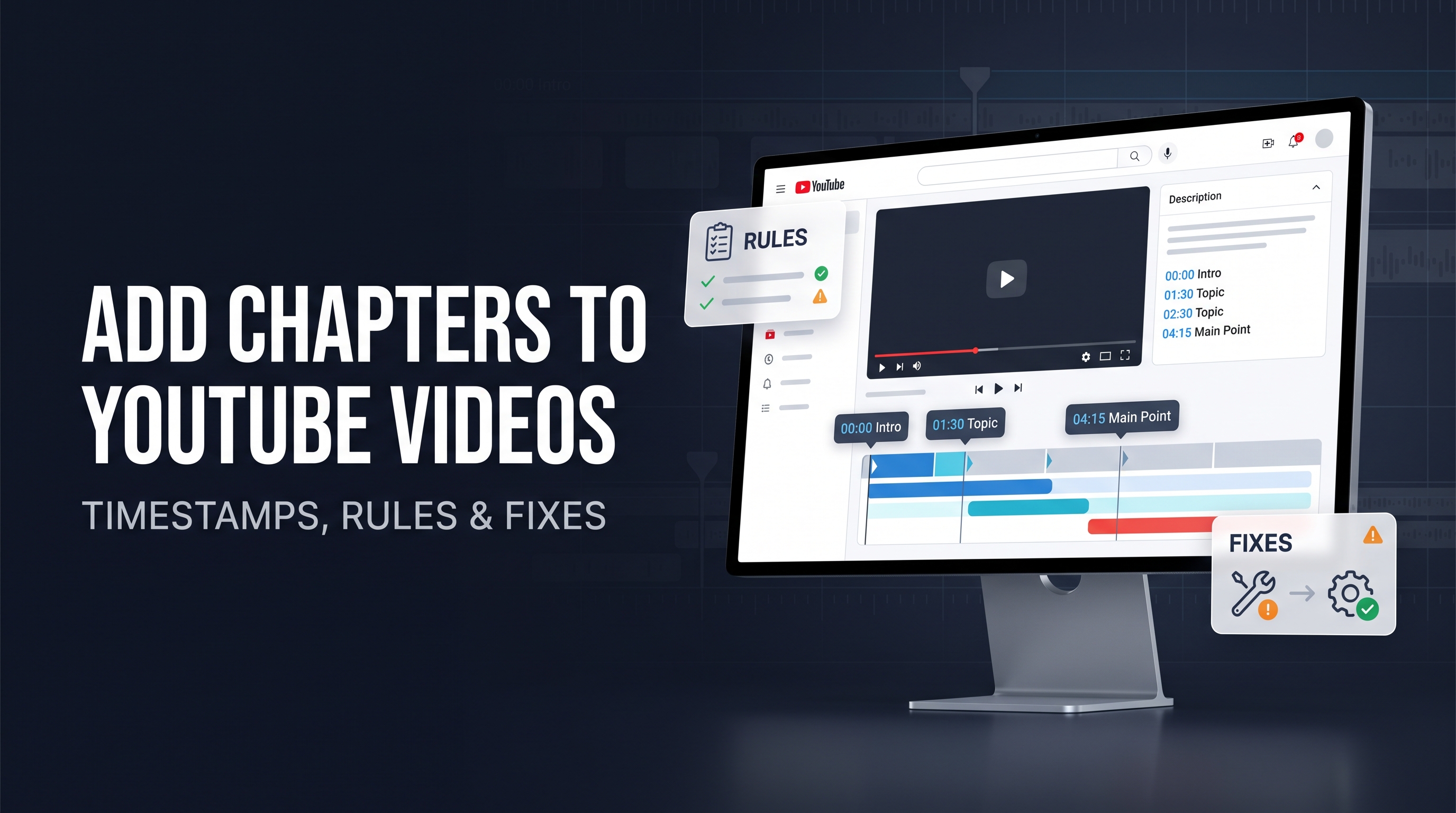
The fastest way to add chapters to a YouTube video is to paste a timestamped list into the video description. Start with 00:00, add at least three timestamps in ascending order, give each timestamp a title, and keep each chapter at least 10 seconds long. YouTube then turns the list into clickable sections across the video timeline.
You can also let YouTube generate chapters automatically. Automatic chapters save time, but YouTube decides whether a video qualifies and which sections to create. Manual chapters give you control over the wording, order, and exact starting points.
This guide covers both methods, the correct timestamp format, chapter comments, free chapter generators, and the fixes that solve most “YouTube chapters not working” problems. It also explains a detail many tutorials skip: a timestamp list can create clickable links without becoming a full chapter timeline unless the list meets YouTube’s chapter requirements.
What are YouTube chapters called?
YouTube chapters are sections that divide one video into separately labeled parts. You may also hear them called video chapters, timestamps, time stamps, sections, or video bookmarks.
A timestamp usually points to one moment in a video. A chapter uses a timestamp as the beginning of a labeled section. For example, 03:45 Manual setup is both a clickable timestamp and the start of a chapter when YouTube accepts the list as a chapter sequence.
The distinction matters because you can place one timestamp in a comment or description for navigation without creating a complete chapter system. A chapter list needs a valid starting point and enough sequential sections.
How do YouTube chapters work?
YouTube reads timestamp and title pairs from a video description. When the list meets its requirements, YouTube adds labeled segments to the progress bar and may show chapter titles in the player, transcript, or video details.
Each timestamp marks the start of a section, not the end of the previous one. If you write 01:00 Intro, the Intro chapter starts at one minute and continues until the next timestamp.
Chapters help viewers scan long videos, revisit a specific explanation, and decide whether the video covers their question. They do not guarantee more views, higher retention, or better search rankings. Use them to improve navigation first, then measure whether viewers use them in your own Analytics.
How do you add chapters to a YouTube video manually?
Follow these steps in YouTube Studio:
1.Open YouTube Studio and select Content from the left menu.
2.Click the video you want to edit.
3.In the Description field, add a timestamp list with a title after each timestamp.
4.Make the first timestamp 00:00.
5.Add at least three timestamps in ascending order.
6.Make sure each chapter lasts at least 10 seconds.
7.Click Save and open the public video to test the chapter bar.
YouTube says manual chapters override automatic chapters for that video. That means your list becomes the source of the chapter labels instead of YouTube’s generated sequence.
Use this example:
Plain Text
00:00 Introduction 01:12 What YouTube chapters do 03:45 How to add chapters manually 06:20 Why chapters may not show 08:10 Final checklist
The list works because it starts at zero, contains more than three timestamps, follows chronological order, and leaves at least 10 seconds between chapter starts.
Where should you put YouTube timestamps?
Put the full chapter list in the video description. You can place it near the top if navigation matters most, or below the opening summary and links if the description needs a stronger introduction.
Keep the timestamp and title on the same line. Use one chapter per line so YouTube and your viewers can scan the structure quickly.
Do not hide the list inside an image, PDF, pinned comment, or external page. A comment can contain clickable timestamps, but the description gives YouTube the clearest chapter sequence to process.
Does the first YouTube timestamp have to be 00:00?
Yes. YouTube’s official instructions require the first timestamp in a manual chapter list to start at 00:00. A list that begins at 00:15 may still create a clickable link, but it does not satisfy the official manual-chapter requirement.
Use exactly 00:00, not “start,” “intro,” or a later time without the zero marker. Put the title after the timestamp, separated by a space.
How many timestamps do you need for YouTube chapters?
YouTube requires at least three timestamps listed in ascending order for manual chapters. In practice, use three meaningful sections rather than adding filler markers just to reach the minimum.
A five-minute video may need only three or four sections. A two-hour tutorial may need ten or more. Match the chapter density to the topic changes in the video.
How long must a YouTube chapter be?
Each chapter must last at least 10 seconds under YouTube’s current official instructions. If two timestamps sit six seconds apart, YouTube may reject the list or merge the sections.
Do not create chapters for every sentence. A chapter should represent a meaningful change in topic, task, speaker, example, or stage of a process.
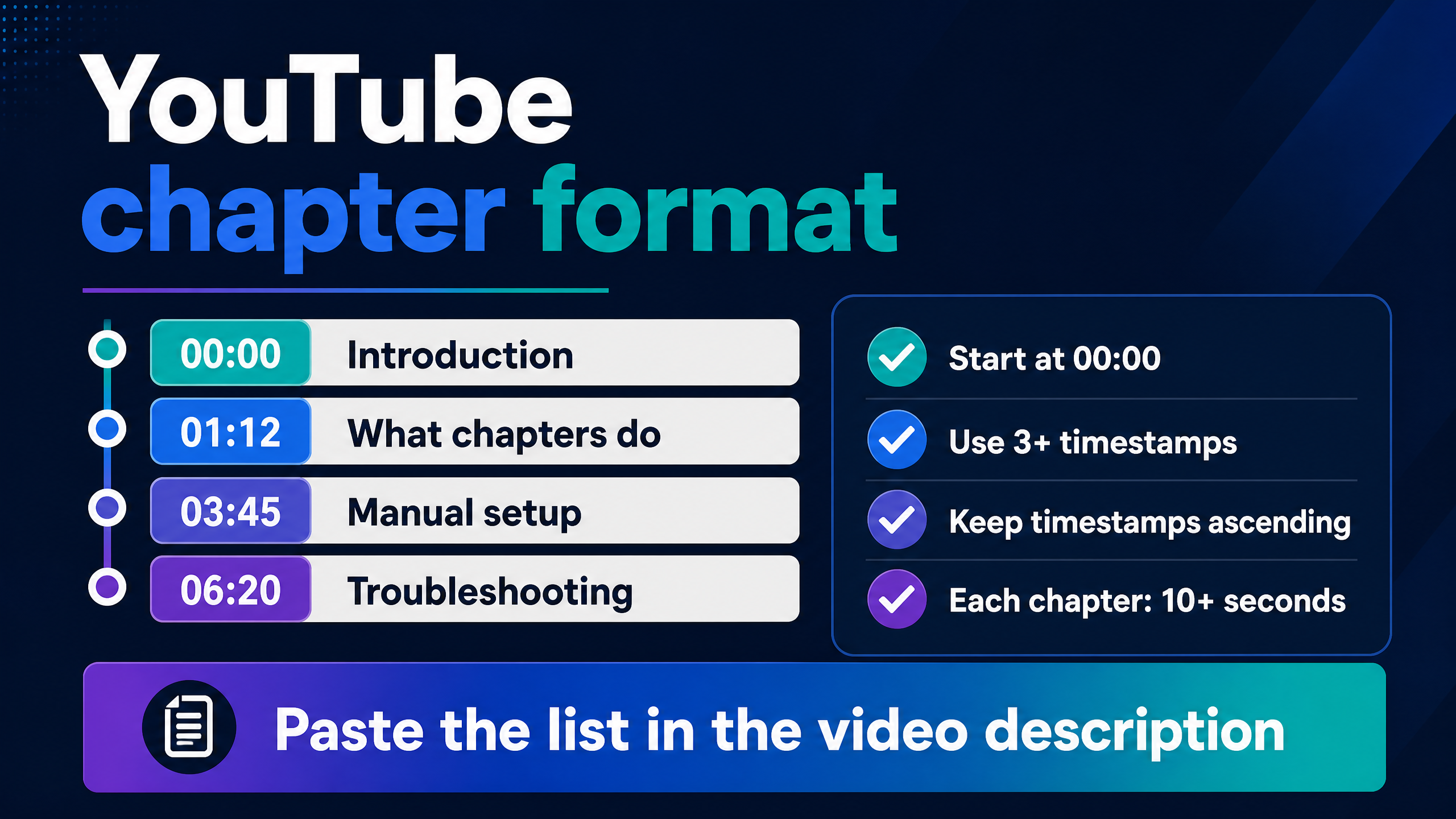
Use this structure when preparing a manual chapter list.
How do you add timestamps to YouTube videos without chapters?
Write a timestamp and a label in the video description or a comment. For example:
Plain Text
02:14 The camera settings
YouTube can make the timestamp clickable even if you have not created a full chapter sequence. This works well when you want to point viewers to one answer, quote, product demonstration, or correction.
For a complete chapter timeline, use the 00:00 start, three or more timestamps, ascending order, and 10-second minimum. A single timestamp is a navigation link, not a full chapter structure.
How do you add timestamps to a YouTube comment?
Type the timestamp in the comment using a recognized time format, such as 1:42 or 01:42, then add a short explanation. Post the comment and tap or click the timestamp to test it.
Example:
Plain Text
The lighting setup starts at 4:18.
The timestamp may become clickable after posting. A comment timestamp does not replace a description-based chapter list. Use the description for the official chapter sequence and a comment when you want to highlight one moment for discussion.
Do not add a timestamp that sends viewers to unrelated or misleading content. Clear labels help viewers understand what they will see when they click.
How do you use automatic YouTube chapters?
YouTube can generate chapters for eligible videos. To allow them for one video:
1.Open YouTube Studio.
2.Select Content.
3.Click the video.
4.Choose Show more.
5.Find Automatic Chapters.
6.Select Allow automatic chapters.
7.Save the video.
YouTube says the setting is checked by default for new uploads when automatic chapters are available and eligible.
Automatic chapters are convenient for creators who upload frequently or publish long interviews, tutorials, lectures, and podcasts. Review the result before relying on it. YouTube may select a weak title, miss an important transition, or divide a discussion at an unhelpful point.
How do you turn off automatic chapters?
For one video, open the video in YouTube Studio, choose Show more, find Automatic Chapters, uncheck Allow automatic chapters, and save.
To change the upload default, open Settings, select Upload defaults, open Advanced settings, uncheck Allow automatic chapters when available and eligible, and save.
A manual chapter list overrides automatic chapters for that video. If you want full control, add your own list and test the public result after saving.
Why are automatic YouTube chapters not available?
Not every video qualifies for automatic chapters, and YouTube does not guarantee automatic chapters for all eligible videos. YouTube says the feature may be unavailable when a channel has active strikes or when the content may be inappropriate for some viewers.
Your video may also lack clear topic changes, clean speech, or enough structure for YouTube to identify useful sections. Automatic chapters are a convenience, not a guaranteed output.
Why are my YouTube chapters not showing?
Use the checklist below to isolate formatting, timing, eligibility, and save-state problems.
Check the manual requirements first. The most common causes include a missing 00:00 timestamp, fewer than three timestamps, timestamps in the wrong order, chapters shorter than 10 seconds, a formatting error, or an unsaved description.
Open the public video in a private or signed-out browser window after saving. Then check the progress bar and description. Studio may show the saved text before the public player has updated.
Use this troubleshooting table:
Symptom | Likely cause | Fix |
Timestamp is clickable but no chapter bar appears | The list does not meet full chapter requirements | Add 00:00, at least three timestamps, ascending order, and 10-second gaps |
Chapters start at the wrong point | The timestamp does not match the edited video | Recheck the final upload timeline, not the draft timeline |
Only some chapters appear | Duplicate, out-of-order, or closely spaced timestamps | Rewrite the list in chronological order with meaningful gaps |
Automatic chapters are missing | Video or channel is not eligible, or YouTube did not generate them | Add manual chapters or review the Automatic Chapters setting |
Changes do not appear | Description was not saved or player cache has not refreshed | Save again, refresh, and test in a private window |
Chapters work on desktop but not another surface | Player or app display difference | Test on desktop, mobile, and the public watch page |
Chapter title is misleading | The label does not match the spoken content | Rename it to describe the section accurately |
Why are YouTube timestamps not working in the description?
Use a standard format with minutes and seconds, such as 02:14, followed by a space and a title. Avoid placing punctuation or extra text between the timestamp and title while troubleshooting.
Then verify the order. YouTube’s manual instructions require ascending timestamps. A list that moves from 05:00 back to 03:00 can break the chapter sequence.
Also check that you edited the correct video, clicked Save, and tested the public watch page rather than only the Studio preview.
Why are YouTube chapters not showing after I add them?
The list may have a first timestamp other than 00:00, fewer than three timestamps, or intervals shorter than 10 seconds. These conditions are easy to miss when you copy a list from an editing timeline.
The upload may also have active restrictions or the channel may not have access to chapters. YouTube says creators who do not have access should apply for Advanced features.
Do YouTube chapters work on Shorts?
Chapters are designed for videos with meaningful sections and are most useful on long-form videos, podcasts, interviews, courses, and tutorials. A Short is too brief for most chapter structures, and the chapter interface may not appear in the same way.
If a Short needs navigation, use a clear title, on-screen structure, or a related long-form video rather than forcing a chapter list.
What is the best YouTube timestamp format?
Use HH:MM:SS for longer videos and MM:SS for shorter ones. Keep the format consistent across the description.
Examples:
Plain Text
00:00 Introduction 00:48 The gear you need 04:10 Camera setup 12:35 Editing the footage 28:02 Export settings
For a video longer than one hour, use hours:
Plain Text
00:00:00 Introduction 00:17:24 First lesson 01:05:40 Advanced workflow 01:42:15 Final checklist
Write concise titles that describe the viewer’s destination. “Part 1” tells viewers little. “Set exposure for indoor video” gives them a reason to click.
How should you write better YouTube chapter titles?
Use the language your viewer would use to describe the section. A chapter title should answer one of three questions: what topic appears here, what task happens here, or what result will the viewer get?
Weak title:
Plain Text
07:20 Section 3
Stronger title:
Plain Text
07:20 Fix underexposed footage
Keep the title accurate. Do not promise “the complete solution” if the section only introduces the issue. Avoid stuffing several unrelated keywords into one chapter name.
A useful chapter list often follows the video’s natural progression:
Video type | Useful chapter pattern |
Tutorial | Goal, materials, setup, steps, troubleshooting, final result |
Review | Design, performance, strengths, weaknesses, verdict |
Podcast | Guest introduction, topic one, topic two, audience questions, closing |
Course lesson | Concept, example, exercise, common mistake, recap |
Vlog | Arrival, activity one, activity two, reflection, next step |
How do you create YouTube chapters from a transcript?
Start with the transcript and mark the moment where the speaker changes topic. Ignore minor pauses and repeated phrases. Group related sentences into sections that last at least 10 seconds.
Then convert each section into a short title and verify the start time against the final uploaded video. Editing can shift timestamps if you cut an intro, insert a sponsor segment, or replace a clip after generating the list.
Use this process:
1.Read the transcript once to understand the overall structure.
2.Mark topic changes, demonstrations, examples, and conclusions.
3.Record the start time of each meaningful section.
4.Remove chapters that last less than 10 seconds.
5.Add a 00:00 introduction marker.
6.Write concise, accurate titles.
7.Paste the list into the description and test it publicly.
Can a free YouTube chapter generator create timestamps?
Yes. A chapter generator can turn a transcript, outline, or video summary into a draft list. The tool saves time by suggesting section names and timestamps, but you still need to check the timing against the final upload.
A generated list can contain incorrect labels, duplicate sections, missing topic changes, or timestamps that fall before the speaker reaches the section. Treat generated chapters as an editing draft, not as a final answer.
A practical generator workflow is:
1.Create or obtain a transcript.
2.Generate a first chapter list.
3.Check every timestamp in the YouTube player.
4.Correct titles that overpromise or mislabel the content.
5.Confirm the 00:00, three-timestamp, ascending-order, and 10-second requirements.
6.Save the description and test the public chapter bar.
Internal link suggestion: Place a link here to YT Crew’s free YouTube chapter generator using the anchor text free YouTube chapter generator.
Do YouTube chapters help SEO?
Chapters can clarify a video’s structure for viewers and may help search systems understand sections of a long video. You should not promise a ranking boost from chapters alone.
The strongest benefit is navigation. When viewers can jump to the part that answers their question, they may find the video more useful. That can support satisfaction and continued viewing, but your title, thumbnail, content quality, audience fit, and retention still matter.
Use accurate titles rather than repeating the same keyword in every line. A natural chapter list describes the video, helps viewers scan it, and gives YouTube clearer context.
Internal link suggestion: Link the phrase YouTube SEO tools to a relevant YT Crew tool or post after this section.
Should chapters include a sponsored segment?
Yes, if the video contains a meaningful sponsored segment, label it accurately. A chapter title such as 08:30 Sponsor message helps viewers navigate the video and keeps the description clear.
Do not disguise a paid segment as unrelated editorial content. Follow YouTube’s paid-promotion disclosure requirements and the agreement you have with the sponsor.
What should you do after adding chapters?
Watch the final upload once with the chapter list open. Click the first, middle, and last chapters to check that each link lands at the intended moment.
Then check the video on desktop and mobile. Chapter display can vary by player surface, and a cached page may not reflect the new description immediately.
After publishing, review viewer behavior in YouTube Analytics. If viewers repeatedly skip to one section, consider moving that answer earlier in a future video or creating a dedicated follow-up.
FAQ: YouTube chapters and timestamps
How do I add chapters to a YouTube video?
Open YouTube Studio, choose Content, select the video, paste timestamp-title pairs into the description, start with 00:00, add at least three timestamps in ascending order, keep each chapter at least 10 seconds, and save.
How do I add timestamps to a YouTube video?
Put a timestamp such as 02:14 followed by a title in the description or a comment. Use the description for a complete chapter list and comments for individual moments.
What is the timestamp thing for YouTube videos called?
YouTube calls the feature Video Chapters. Creators and viewers also call the entries timestamps, time stamps, sections, or video bookmarks.
How do I create chapters in YouTube videos?
Create a chronological timestamp list in the description. Start at 00:00, use at least three timestamps, and leave at least 10 seconds between chapter starts.
Why are my YouTube chapters not working?
Check the first timestamp, number of timestamps, chronological order, spacing, title formatting, save status, and chapter access. YouTube requires 00:00, at least three ascending timestamps, and a 10-second minimum chapter length for manual chapters.
Why are YouTube chapters not showing even though timestamps are clickable?
Clickable timestamps can work as individual links without meeting the requirements for a full chapter timeline. Add 00:00, at least three timestamps, ascending order, and intervals of at least 10 seconds.
Can I add YouTube chapters in a comment?
You can add clickable timestamps in a comment, but use the video description for the complete chapter sequence. A comment is better for highlighting one moment than structuring the whole video.
Do YouTube chapters need titles?
Yes. Add a short title after each timestamp. Titles tell viewers what each section covers and help distinguish chapters from isolated timestamp links.
Can I add chapters to an old YouTube video?
Yes. Open the existing upload in YouTube Studio, edit the description or automatic-chapter setting, save the changes, and test the public page.
Do YouTube chapters increase views?
Chapters do not guarantee more views. They improve navigation and may help viewers find relevant sections. Measure their effect in your own audience data rather than treating chapters as a guaranteed ranking tactic.
Can I use automatic chapters and manual chapters together?
You can allow automatic chapters, but YouTube says a manual chapter list overrides automatic chapters for that video. Use one clear system and review the public result.
How do I turn off automatic YouTube chapters?
For one video, open Show more in YouTube Studio, find Automatic Chapters, uncheck Allow automatic chapters, and save. You can also change the upload default under Settings, Upload defaults, and Advanced settings.
Can a YouTube chapter be shorter than 10 seconds?
YouTube’s official manual-chapter requirements state that the minimum length for video chapters is 10 seconds.
How many chapters should a YouTube video have?
Use enough chapters to reflect meaningful topic changes. Three is the minimum for manual chapters, but a long tutorial, podcast, or course may need more. Avoid adding a marker for every sentence.
Can I generate YouTube chapters for free?
Yes. You can draft chapters from a transcript by hand or use a free chapter generator. Check every generated timestamp and title against the final video before publishing.
Conclusion: add chapters before viewers need them
Adding chapters to a YouTube video takes a few minutes when you know the format. Build a timestamp list in the description, start with 00:00, use at least three timestamps in ascending order, and keep each chapter at least 10 seconds.
Use automatic chapters when speed matters, but choose manual chapters when your titles and timing need to match the video closely. If chapters do not appear, check the four essentials first: the zero timestamp, three-section minimum, chronological order, and 10-second spacing.
Your next step is to copy the example format into your latest long-form video, replace the sample times with the real section starts, and test the chapter bar on the public watch page. For a faster first draft, use YT Crew’s free YouTube chapter generator and verify every result before saving.