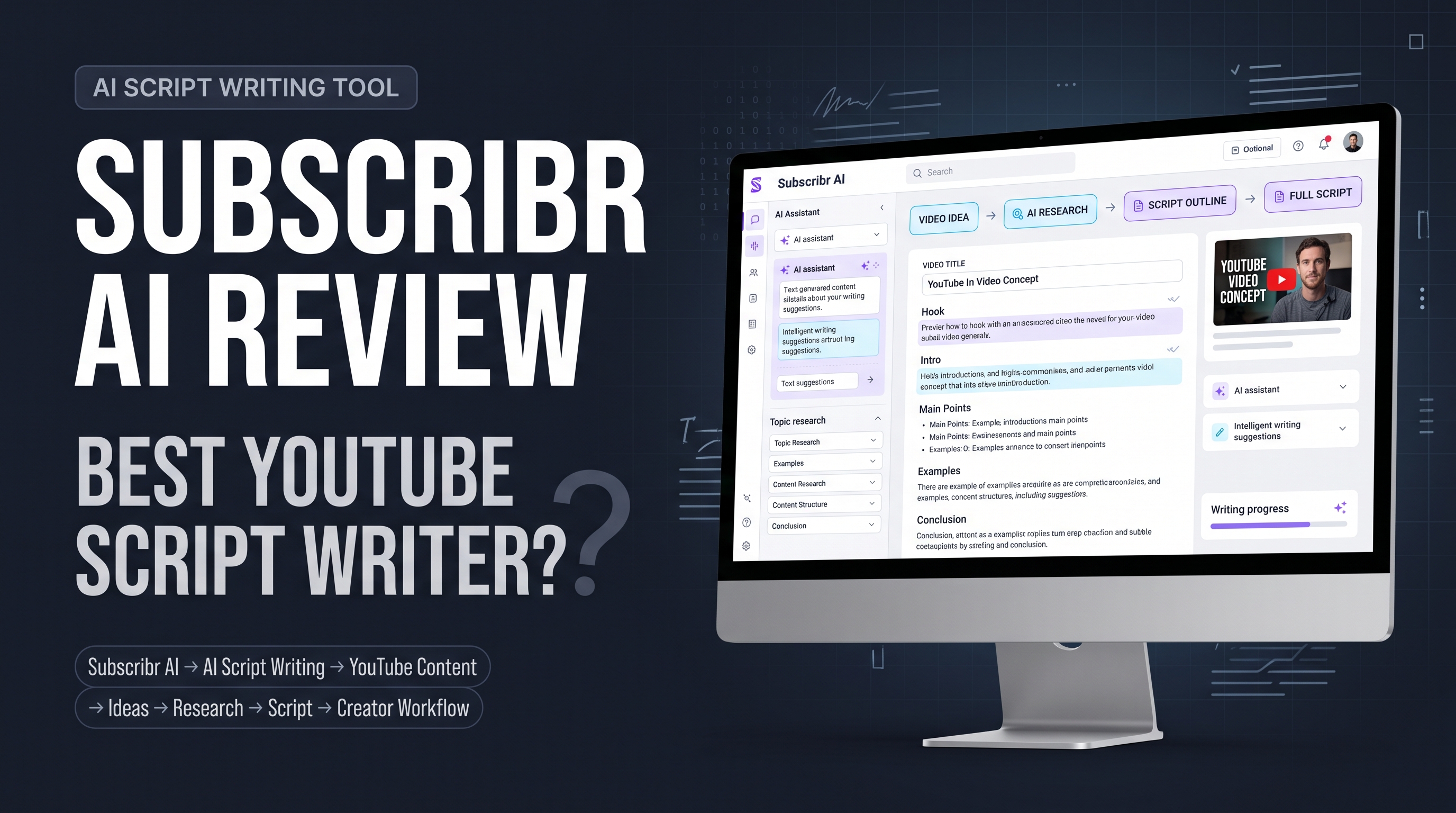
Subscribr AI is a YouTube-focused writing and research platform that helps creators find ideas, analyze outlier videos, build hooks and outlines, write long-form scripts, and prepare titles, descriptions, tags, and thumbnails. Its main advantage is specialization. Instead of asking a general chatbot to understand your channel from scratch, you give Subscribr channel context, audience goals, research sources, and a preferred voice.
The product claims that creators can move from an idea to a finished script in about 12 minutes, save more than 10 hours per week, and use tools such as channel memory, competitor tracking, AI thumbnails, Canvas editing, and Script Agent workflows. Those are company claims, not controlled performance results.
Subscribr starts with a $7 offer that the official site describes as cancellable during the first seven days. The site also says billing is annual only, while its FAQ does not expose a complete public plan table in the page text. That makes the trial useful for testing the workflow, but it also means you should confirm the current annual price, credits, models, and renewal terms before paying.
This Subscribr AI review focuses on the question creators care about: does the platform produce better decisions and usable scripts faster than your current workflow? It also separates legitimate script-writing features from misleading searches such as “subscriber generator” and “YouTube auto subscriber software,” which are not the same product category.
What is Subscribr AI?
Subscribr AI is a creator tool built around YouTube research, ideation, script writing, and packaging. The official site describes it as an AI assistant that finds proven video ideas and turns them into ready-to-publish scripts with hooks, structure, and outros.
The product combines several jobs that usually sit in separate tabs: topic discovery, competitor research, script drafting, voice matching, source-based research, title and hook development, thumbnail ideation, and script editing.
That combination distinguishes Subscribr from a generic AI script generator. A general writing assistant can draft a script, but you must supply the channel context, audience, structure, research, and editorial rules. Subscribr tries to place those inputs inside one YouTube-specific workflow.
Subscribr does not create subscribers automatically. It is not a subscriber bot, subscriber generator, or “YouTube auto subscriber software.” Those terms usually describe artificial engagement or account automation, which creators should avoid. Subscribr’s subscriber-related promise means that better ideas and scripts may help you publish more consistently, not that the platform can add subscribers to your channel on command.
What features does Subscribr AI include?
The platform’s official feature list centers on research, writing, editing, and packaging. AppSumo’s product listing adds details about long-form scripts, source research, script credits, channel limits, thumbnail generations, and lifetime-deal tiers, but those details belong to a marketplace offer that was marked sold out at the time of research.
Feature | What it does | Where it helps | What you still need to do |
Outlier idea generator | Finds videos that outperform a channel or niche baseline | Topic discovery and competitor research | Check audience fit and create an original angle |
Competitor tracking | Monitors channels and trending creators | Pattern research and trend monitoring | Interpret patterns instead of copying them |
Research Assistant | Uses videos, PDFs, web articles, and images as inputs | Evidence gathering and briefing | Verify facts and rights |
Script Writer | Produces hooks, outlines, sections, and long-form drafts | Pre-production and writing speed | Edit voice, accuracy, pacing, and originality |
Channel memory | Stores channel context and writing preferences | More consistent drafts | Update the context as the channel changes |
Canvas | Lets you edit a script while receiving AI help | Revisions and structure changes | Make the final editorial decisions |
Script Agent | Automates more of the research-to-script workflow | High-volume production | Review each output before publication |
Content Remixer | Breaks down a video’s hook, structure, and retention triggers | Studying formats and frameworks | Build a new script rather than copying wording |
AI Thumbnail Studio | Creates thumbnail concepts and images | Packaging ideas and rapid iteration | Check originality, accuracy, and click promise |
AI Script Editor | Critiques pacing, hooks, and structure | Revision passes | Confirm that the edit matches the actual video |
Titles, tags, and descriptions | Supports upload packaging | Metadata and publishing preparation | Avoid keyword stuffing and vague promises |
How does Subscribr’s YouTube script writer work?
The workflow begins with a topic, idea, channel context, audience, or source material. Subscribr then uses templates, research, channel memory, and AI writing tools to generate an outline or script.
The official site says users can create scripts with hooks, storytelling structure, and outros, while AppSumo describes long-form scripts up to 3 hours or 30,000 words in the marketplace offer. Long output does not equal a good script. A 30,000-word draft can still contain repetition, weak evidence, inaccurate claims, or a slow opening.
Use the writer for the parts that consume time but benefit from structure: a first outline, alternative hooks, section transitions, research summaries, and revision suggestions. Keep the parts that require judgment with a human: the core claim, firsthand examples, fact checking, ethical boundaries, tone, and final cut.
Does Subscribr AI write scripts that sound human?
Subscribr says it learns a creator’s writing style and channel voice. Trustpilot’s review summary reports that reviewers often praised targeted, natural-sounding content, but also noted that users may need experimentation and customization before the tone feels right.
That is a realistic expectation. Voice matching works best when you provide representative transcripts, clear style rules, audience context, words to avoid, and examples of a strong opening. The first draft should function as a structured collaborator, not a perfect impersonation.
Read the script aloud. Generic phrases, repeated sentence rhythms, inflated claims, and unnatural transitions become easier to detect in speech than on the screen.
Can Subscribr AI write long-form YouTube scripts?
Yes. The official site promotes ready-to-film scripts, and AppSumo’s listing describes long-form scripts up to 3 hours or 30,000 words for that offer.
Long-form support matters for documentaries, explainers, reviews, commentary, and faceless channels. It matters less if your channel publishes short tutorials or Shorts and your main bottleneck sits in filming, editing, or distribution.
Ask the tool for a structured outline before generating the full script. Review the claims, sources, repeated ideas, and section purpose before spending credits on a long draft.
How does Subscribr find YouTube video ideas?
Subscribr’s Outlier Idea Generator looks for videos that receive more views than normal for a channel or niche. The official site describes outliers as videos getting 2x–10x or 5x–10x more views than normal and says the tool can return 10 ideas with titles, angles, and thumbnail concepts.
An outlier is a signal, not a prediction. A video may outperform because of timing, an existing audience, a news event, a creator’s reputation, external distribution, or a factor the tool cannot see. A small channel cannot assume that copying the topic will reproduce the original result.
Use an outlier as the beginning of a brief. Ask four questions:
1.What viewer problem did the outlier address?
2.What promise did its title and thumbnail make?
3.What evidence or experience can your channel add?
4.What would make the idea useful to your specific audience now?
That process produces information gain instead of a shallow remake.
Does Subscribr AI perform competitor analysis?
The official site says users can track competitor and trending channels, see which videos outperform, identify outliers, and receive weekly trend digests. This makes Subscribr relevant to creators who study a niche before planning a batch of videos.
Competitor analysis becomes unhelpful when you treat another channel’s results as a formula. Record the competitor, video, publication date, topic, title promise, thumbnail structure, opening, audience, and reason the pattern might fit your channel.
Do not copy a competitor’s script, thumbnail, voice, examples, or distinctive visual identity. Use the research to identify an unmet viewer need and produce an original response.
What does Subscribr’s Viral Video Remixer do?
The Content Remixer accepts a video URL and breaks down its hook, structure, and retention triggers, according to the official site. It then helps the creator adapt the framework to a different topic.
This feature can help you study pacing and narrative architecture. It also creates a clear originality risk if you ask it to preserve too much of the source. Change the subject, evidence, examples, language, conclusion, and value proposition. Credit or link to source material where appropriate, and do not present another creator’s analysis as your own.
Does Subscribr AI create thumbnails?
Yes. The official site lists AI Thumbnail Studio, brainstorm mode, style analysis, thumbnail scoring, and auto-improvement features.
The site says users can generate four concept sketches from different formats, create a thumbnail, upload a competitor’s thumbnail for style analysis, and receive feedback based on contrast, text readability, and emotional impact.
The useful part is rapid iteration. You can compare a clean object-focused concept with a face-and-text concept before opening a design tool. The risky part is copying. A thumbnail can become too close to a competitor’s composition, typography, character pose, or brand language.
Use competitor images to study broad design principles, not to clone a recognizable asset. Check the final thumbnail against the video’s real content. Do not promise a result the video cannot deliver.
How much does Subscribr AI cost?
The official homepage presents a $7 starting offer and says you can cancel during the first seven days. It also says Subscribr uses annual billing only and does not offer a monthly subscription.
The public homepage does not expose a complete plan table in the extracted text. The exact annual price, script credits, channels, models, thumbnail allowance, and renewal terms may vary by offer or checkout state, so verify them on the live pricing flow before purchase.
Pricing question | Public evidence | Buying implication |
Is there a trial or starter offer? | The homepage says “Start for $7 today” and mentions cancellation in the first seven days | Use the trial to test a real script, not just a demo |
Is billing monthly? | The FAQ says no monthly subscription option exists | Annual commitment increases the cost of a rushed decision |
Is annual billing available? | The official FAQ says billing is annual only | Confirm the total charge and renewal date |
Are credits included? | The site says annual billing gives credits upfront, but the full public plan table is not shown in extracted text | Check script, research, and image allowances before paying |
Is there a refund policy? | The homepage says contact hello@subscribr.ai within 30 days of purchase for a refund | Save the purchase date and read current terms |
Is there an AppSumo deal? | AppSumo listed lifetime tiers but marked the offer sold out at research time | Treat those prices as historical or offer-specific |
Is Subscribr AI free?
Subscribr’s main product is not presented as a permanently free unlimited service. The official site presents a paid $7 starting offer and annual billing.
The separate Subscribr website also publishes free YouTube tools such as title, keyword, hook, tag, description, thumbnail, transcript, and video-breakdown tools in its navigation. Those free tools are not the same as unlimited access to the full paid workspace.
If you only need one script, test a free AI script writer or a free YT Crew workflow first. If you need channel memory, source research, outlier discovery, scripts, thumbnails, and production organization in one place, compare the subscription against the time it removes.
Is the AppSumo lifetime deal still available?
AppSumo’s listing showed lifetime tiers and a 60-day refund guarantee, but it was marked “Sold out” at the time of research. Do not assume that a lifetime price, license limit, credit allowance, or refund window remains available.
Treat an AppSumo deal as a separate offer from the current official subscription. Read the license table, channel and user caps, credit rules, model access, export rights, and support terms before buying a marketplace deal.
Is Subscribr AI worth it?
Subscribr AI is worth testing if your main bottleneck is YouTube pre-production. The platform combines idea research, competitor intelligence, script writing, voice context, editing, thumbnails, and metadata in a single workflow.
It becomes more attractive when you publish long-form videos, operate a faceless channel, manage several content ideas, or spend hours turning research into a script. A specialized system can reduce context switching and give you a repeatable brief-to-script process.
It is less attractive if you publish infrequently, prefer writing from personal notes, need video editing rather than scripting, or want a predictable monthly plan. Annual-only billing means you should test your actual workflow before committing.
A practical Subscribr ROI formula
Use this formula before you subscribe:
Monthly tool value = hours saved × your hourly value − monthly-equivalent software cost − editing and fact-checking cost
Suppose Subscribr saves you six hours per month, you value that time at $25 per hour, and your annual plan works out to $20 per month. If fact checking and revisions cost another hour at that value, your rough monthly value is:
6 × $25 − $20 − $25 = $105
That number is not a promise of revenue. It measures whether the workflow may justify its cost for your production process. Run the calculation with your own time, output quality, and plan price.
Is Subscribr AI safe and legitimate?
Subscribr appears to be a legitimate commercial software product with an official website, public support contact, marketplace listing, and independent customer-review pages. That does not mean every script, testimonial, growth claim, or AI output is accurate.
Trustpilot states that it does not fact-check specific reviewer claims, even though it may label some interactions as verified. Its displayed review profile was strongly positive at research time, but ratings measure reviewer experience rather than guaranteed script quality or subscriber growth.
Protect your channel and ideas by reviewing permissions, privacy terms, connected-account access, and the data you submit. Avoid uploading confidential client information, unpublished investigations, private contracts, or personal data unless you understand how the platform handles it.
Does Subscribr AI need access to your YouTube channel?
The official site says creators can connect a YouTube channel so Subscribr can learn their niche and style, and it advertises competitor tracking and channel intelligence. The exact permissions can vary by workflow and should appear in the authorization screen.
Review the requested scopes before connecting an account. Use the least access necessary, remove access when you stop using the service, and keep two-step verification enabled on your Google Account.
Can Subscribr AI guarantee subscribers or views?
No. Subscribr can help you research ideas, structure scripts, and prepare thumbnails, but it cannot guarantee subscribers, views, retention, or monetization.
The official homepage includes testimonials and claims about creators reaching 100K subscribers, 1M views, or doubling productivity. Treat those as selected examples, not causal evidence. Your result depends on topic fit, execution, audience, distribution, timing, competition, and viewer satisfaction.
How should you use Subscribr AI without publishing generic scripts?
Start with your own thesis. Tell the tool what you believe, what evidence you have, who needs the video, and what the viewer should understand by the end.
Add source material and ask Subscribr to separate sourced facts from suggested transitions. Fact check names, dates, numbers, quotes, medical or financial claims, and claims about current events before recording.
Edit the first 30 seconds with special care. Remove introductions that delay the promise, replace generic hooks with a specific tension, and make sure the opening reflects the real video.
Read the final script aloud and mark sentences that sound unlike you. Replace broad claims with examples, add firsthand detail, and cut repeated conclusions.
Use AI thumbnails as concepts, not final truth. Check that the title and thumbnail make one clear promise and that the video fulfills it.
Subscribr AI pros and cons
What does Subscribr AI do well?
Subscribr focuses on the parts of YouTube production that often create the most friction before filming. Idea research, script structure, channel context, source inputs, thumbnail concepts, and revisions appear in the same product family.
The tool also gives long-form creators more structure than a blank chatbot conversation. Templates, channel memory, audience context, and Canvas editing can help you move from scattered notes to a usable draft.
The platform’s strongest fit is a creator who values speed but still wants to edit. The AI handles the first pass and the creator protects the voice, accuracy, and original point of view.
Where does Subscribr AI fall short?
Annual-only billing creates more commitment than a monthly plan. The $7 starter offer lowers the initial test cost, but you still need to understand the renewal price and included credits.
The product’s strongest claims come from the company, its selected testimonials, or customer-review platforms. Those sources can show positioning and user sentiment, but they do not prove that Subscribr creates viral videos or subscriber growth.
AI output can still contain errors, repetition, generic phrasing, and unsupported assumptions. A specialized script writer reduces setup work, but it does not remove editorial responsibility.
Style-cloning and remixer features also need careful use. Study a successful format without reproducing a competitor’s protected expression, distinctive asset, or recognizable brand identity.
What are the best Subscribr AI alternatives?
The best alternative depends on the bottleneck. A general AI assistant may cost less and work well when you already understand prompting, research, and editing. YT Crew can support individual YouTube tasks through free tools without requiring a full annual subscription.
vidIQ and TubeBuddy may fit creators who want broader YouTube SEO, keyword, optimization, or publishing workflows. OutlierKit and 1of10 may fit creators who care more about outlier discovery and competitor patterns. YouTube Studio remains the first-party source for your private channel performance.
If you need… | Consider… | Why |
A free script draft | YT Crew or a general AI assistant | Lower commitment for occasional scripts |
A YouTube-specific writing workflow | Subscribr AI | Channel context, scripts, research, and packaging in one product family |
Broader SEO and optimization | vidIQ or TubeBuddy | More suite-style creator features |
Outlier and competitor research | OutlierKit or 1of10 | Research-centered workflows |
Private channel measurement | YouTube Studio | First-party impressions, retention, audience, and revenue data |
A subscriber bot | None | Artificial engagement creates platform and quality risks; it is not a legitimate growth strategy |
Who should use Subscribr AI?
Subscribr AI suits long-form creators who spend too much time researching topics, organizing sources, writing outlines, and revising scripts. It may also fit faceless-channel operators, agencies, and teams that need channel voice and production context across multiple projects.
It is a weaker fit for creators who publish only occasional Shorts, enjoy writing every line manually, need a full video editor, or cannot justify annual billing. The tool creates the most value when you use its research and revision features rather than pressing one button for a generic script.
How to test Subscribr AI before committing
Use the seven-day $7 offer as a real production test, not a tour. Choose one topic your channel would publish anyway and gather the same notes you normally use.
Run this test:
1.Add your audience, channel voice, and topic constraints.
2.Research three competing videos or outlier examples.
3.Add at least two source materials.
4.Generate an outline before requesting a full script.
5.Rewrite the hook and first section with your own thesis.
6.Ask the editor to identify repetition, unsupported claims, and pacing problems.
7.Create two thumbnail concepts and one title package.
8.Read the script aloud and estimate the remaining editing time.
9.Compare the result with your normal workflow.
10.Cancel before renewal if the time saved does not justify the annual commitment.
Score the test on five measures: research quality, voice fit, factual accuracy, editing time, and publishable usefulness. Do not score it on whether the test video goes viral, because one upload cannot establish causation.
FAQ: Subscribr AI and YouTube script-writing questions
What is Subscribr AI?
Subscribr AI is a YouTube-focused assistant for video ideas, outlier research, competitor analysis, script writing, script editing, thumbnails, titles, descriptions, tags, and channel context.
Is Subscribr AI a YouTube script generator?
Yes. It can generate hooks, outlines, sections, and long-form YouTube scripts. You should fact check and edit the output before recording or publishing.
Is Subscribr AI free?
The main product is presented as a paid service with a $7 starter offer and annual billing. The Subscribr site also lists separate free YouTube utilities, but those do not necessarily provide unlimited access to the paid workspace.
How much does Subscribr AI cost?
The official homepage advertises a $7 starting offer and says billing is annual only. It does not expose a complete plan table in the extracted public page text, so confirm the live annual price, credits, and renewal terms before purchase.
Does Subscribr AI offer monthly pricing?
The official FAQ says there is no monthly subscription option and that billing is annual only.
Is there a Subscribr AI free trial?
The homepage says you can start for $7 and cancel anytime in the first seven days. Confirm the current checkout terms and renewal date before entering payment details.
Does Subscribr AI generate subscribers?
No. Subscribr AI generates ideas, research, scripts, and packaging assets. It is not a subscriber generator, subscriber bot, or YouTube auto-subscribe tool.
Does Subscribr AI increase YouTube subscribers?
It may help you publish better-researched and more consistent videos, but it cannot guarantee subscribers. Subscriber growth depends on topic fit, viewer satisfaction, packaging, distribution, and many other variables.
Does Subscribr AI work for faceless channels?
The official site says it supports faceless channels as well as tutorials, documentaries, reviews, stories, business channels, and other formats. The creator still needs to supply an original angle, accurate research, and suitable visuals or narration.
Can Subscribr AI write a three-hour script?
AppSumo’s offer listing described scripts up to 3 hours or 30,000 words for that marketplace offer. Confirm the current official plan limits because marketplace entitlements can differ from current subscriptions.
Does Subscribr AI create thumbnails?
Yes. The official site lists AI Thumbnail Studio, concept generation, style analysis, scoring, and improvement tools.
Can Subscribr AI clone a competitor’s thumbnail?
The official site says users can upload a competitor’s thumbnail for style analysis and generate a thumbnail for their own video. Use this for broad inspiration, not for copying distinctive artwork, composition, typography, or brand identity.
Does Subscribr AI use ChatGPT?
Subscribr says it offers multiple AI models and updates the available models over time, including GPT, Claude, Kimi, DeepSeek, and Gemini in its FAQ. The available model list and plan access can change.
Is Subscribr AI safe?
Use the official domain, review the privacy policy and authorization screen, protect your Google account, and avoid uploading sensitive information you do not need to process. Independent review platforms can show sentiment, but they do not certify every product claim.
Is Subscribr AI worth it?
It can be worth testing if research and long-form scripting consume enough time to justify annual billing. It is less compelling if you need only occasional drafts, prefer manual writing, or expect the tool to create subscribers automatically.
What is the best free Subscribr AI alternative?
Use YT Crew’s free YouTube creator tools for individual tasks, YouTube Studio for private analytics, and a general AI assistant for occasional writing. A free alternative will require more manual context and editing.
Which AI is best for YouTube script writing?
The best choice depends on your workflow. A YouTube-specific platform such as Subscribr can reduce research and context setup, while a general AI assistant can offer flexibility at a lower commitment. Test both with the same topic, sources, and script brief.
Can Subscribr AI replace a human scriptwriter?
It can reduce the time needed for research, outlining, drafting, and revision, but it should not replace human fact checking, editorial judgment, source review, original analysis, or final voice.
Does Subscribr AI work in languages besides English?
The official site says it is optimized for English scripts and that users work in 35+ other languages for ideas, outlines, and draft scripts before polishing them in their native language. Test the target language before committing to a paid plan.
Conclusion: is Subscribr AI worth it?
Subscribr AI is a serious YouTube pre-production tool for creators who want ideas, research, long-form scripts, channel context, thumbnails, and revisions in one workflow. Its strongest advantage is specialization, not a magical ability to produce subscribers or viral videos.
The $7 starter offer gives you a low-cost way to test a real script, but annual-only billing means you should verify the renewal price, credits, model access, channel limits, and refund terms before committing. Use the tool as a fast first-pass researcher and writing partner, then protect the final video with fact checking, original analysis, voice editing, and thumbnail review.
Your next step is to run the ten-step test on one video you already plan to make. Compare the time saved and the edit quality with YT Crew’s free YouTube script generator and other free creator tools before choosing an annual plan.