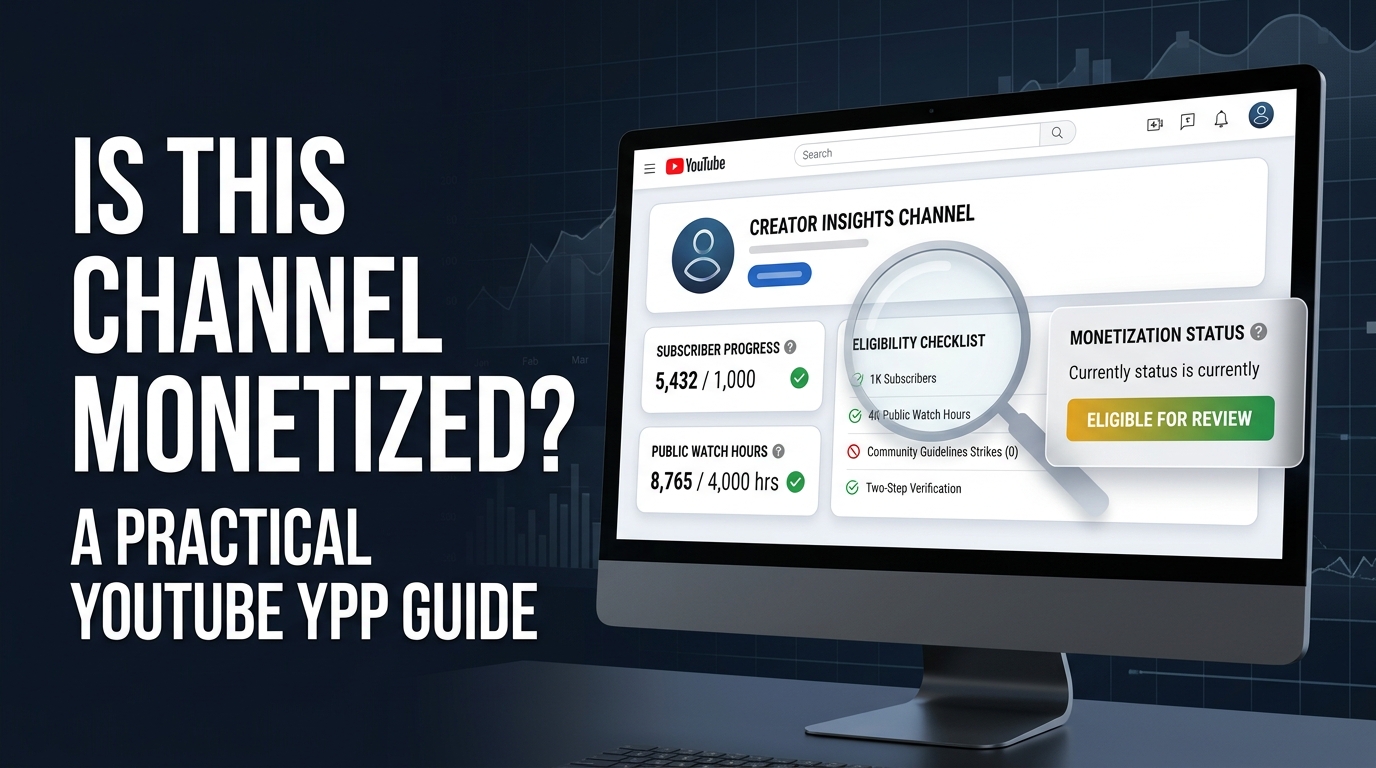
You cannot reliably confirm another creator’s YouTube Partner Program status from the public channel page. Ads, subscriber counts, public videos, and third-party earnings estimates can provide clues, but they cannot prove that YouTube approved the channel or that the creator receives revenue. Only the channel owner can confirm the answer in YouTube Studio’s Earn area and private revenue reports.
This guide shows you how to inspect public signals without mistaking them for proof. It also explains the current YouTube Partner Program routes, the difference between earlier access and ad-revenue eligibility, and the steps to monetize your own channel.
You will get a practical confidence ladder, a public-check workflow, a revenue-estimate formula, and a checklist for deciding what a monetization checker can and cannot tell you. The most important correction comes first: an ad appearing on a video does not prove that the channel owner earns money from that ad.
What does “monetized” mean on YouTube?
People use “monetized” to mean several different things. A channel may earn from ads, receive fan funding, sell products through Shopping, earn YouTube Premium revenue, or make money through sponsorships and affiliate links outside the YouTube Partner Program.
YouTube’s official term usually refers to participation in the YouTube Partner Program, or YPP. YPP gives eligible creators access to YouTube monetization features, creator support, and revenue-sharing opportunities.
That distinction matters because a creator can earn money from a brand deal without YPP, while a YPP member may have no ads on a particular video. A public viewer cannot see the complete mix of revenue sources.
What someone might mean | Can the public confirm it? | Where the owner confirms it |
The channel joined YPP | Usually no | YouTube Studio → Earn |
Ads can run on a video | You may observe an ad, but the signal is incomplete | YouTube Studio ad settings and revenue reports |
The creator earns ad revenue | No | YouTube Analytics and AdSense for YouTube |
The creator earns from sponsors | Sometimes, if disclosed | Video description, paid-promotion label, or disclosure |
The channel earns from memberships or Supers | Some public buttons may appear | YouTube Studio monetization modules and revenue reports |
A third-party site estimates earnings | Yes, as an estimate | The estimator’s public methodology, if provided |
How can you tell if a YouTube channel is monetized?
You can look for public signals, but you should report the result as possible, likely, or unconfirmed, not as a fact. The strongest public clues include a visible Join button, Super Thanks or live-funding features, Shopping features, or clear paid-promotion disclosures. These signals still do not reveal the channel’s full YPP status or actual earnings.
Ads offer a weaker signal than many guides claim. YouTube explains that ads may appear around content and that turning on ads does not mean an ad will automatically play on a specific video. YouTube also addresses cases where creators see ads on videos but are not in the program or are not receiving the associated revenue.
A channel’s size does not prove monetization. Subscriber count and public views do not show whether the channel passed YouTube’s policy review, accepted the relevant monetization modules, linked AdSense for YouTube, or earned money during a particular period.
Use this public confidence ladder:
Confidence level | What you can observe | What you may say |
Low | Ads appear on one or more views | “Ads appeared during my test view.” |
Low | Channel has a large audience or high view count | “The channel has public reach, but YPP status is unconfirmed.” |
Medium | Join, Thanks, Supers, or Shopping features appear | “The channel appears to use at least one YouTube earning feature.” |
Medium | Multiple videos show consistent monetization-related features | “Public signals suggest monetization, but they do not prove the full status.” |
High | The owner shares a current YouTube Studio Earn screen or revenue report | “The owner provided first-party evidence for that period.” |
Certain for the owner | Earn tab, accepted modules, AdSense, and private Analytics | “The channel owner can confirm the status directly.” |
Does seeing ads mean a YouTube channel is monetized?
No. Seeing an ad proves only that an ad was served in that viewing situation. It does not prove that the uploader receives the money.
YouTube may serve ads on content under circumstances that do not establish creator revenue. Ad availability also depends on viewer location, device, inventory, content suitability, settings, and the specific video. A different viewer may see no ad at all.
Do not use a single ad impression as a monetization test. If you need a public assessment, test multiple recent videos across different devices or signed-out sessions, then label the result as an observation rather than a YPP confirmation.
Does no ad mean a channel is not monetized?
No. A missing ad does not prove that a channel lacks YPP access. The video may not receive an ad in that impression, the creator may not have turned on ads for that upload, the content may have limited ad suitability, or the viewer’s context may not produce an ad.
YouTube says that turning on ads does not guarantee that ads will appear. The video still goes through a process that can include automated or human review.
Can subscriber count prove monetization?
No. Subscriber count can show that a channel may meet one part of a YPP threshold, but it cannot prove that the channel met the other requirements or passed the review.
A channel with fewer than 1,000 subscribers may qualify for earlier YPP access in eligible regions through the lower threshold route. A channel with more than 1,000 subscribers may still lack approval, lose access, or fail policy review.
How do public YouTube monetization checkers work?
A third-party YouTube earning or monetization checker usually combines public channel data with assumptions. It may inspect subscriber count, view counts, upload frequency, advertising signals, estimated RPM, or visible earning features. The result can help you organize clues, but it cannot access another creator’s private Earn tab, AdSense account, accepted modules, or actual revenue.
Some tools ask you to paste a channel URL and return a likely monetization status or estimated income. Treat the output as a screening estimate. Do not describe it as a confirmed YouTube decision unless the channel owner provides first-party evidence.
A responsible checker should explain its limits. It should distinguish public observations from estimates, show the date of the data, avoid claiming access to private account information, and warn you that ad revenue varies by audience, content, geography, format, season, and advertiser demand.
What can a YouTube monetization checker tell you?
A checker can help you collect public facts such as a channel’s visible uploads, subscribers, views, niche, and engagement patterns. It may also estimate possible ad revenue using a range of RPM assumptions.
Those outputs can support research. For example, an agency may use a public estimate to prioritize channels for outreach, then ask the creator for a media kit and first-party performance data. A viewer may use the tool to understand why two channels with similar views could earn different amounts.
A checker cannot confirm a private YPP application, an accepted monetization module, AdSense status, payment history, withheld earnings, revenue split, or the exact RPM for another channel.
What should a monetization checker not claim?
A checker should not claim certainty from ads, subscriber count, or estimated earnings alone. It should not imply that a hidden page-code value reveals a creator’s complete YPP status, because public platform behavior and code can change and may not represent payment eligibility.
It should not promise the creator’s exact monthly income. An estimate that multiplies public views by one fixed RPM hides too many variables to support that level of confidence.
How do you check your own YouTube monetization status?
The reliable method uses YouTube Studio rather than a public checker. Sign in to the Google Account that manages the channel, open YouTube Studio, choose Earn from the left menu, and review the eligibility, application, and monetization-module status.
YouTube’s official application flow asks eligible creators to review and accept the base terms, then set up or link an active AdSense for YouTube account.
After applying, YouTube says the channel enters a review queue. The review usually takes about one month, although delays can happen. You can check the status in the Earn area.
Use this owner-only checklist:
Check in YouTube Studio | What it tells you |
Earn overview | Whether the channel can apply, has applied, or has access to earning features |
Base terms | Whether the channel accepted the required YPP agreement |
AdSense for YouTube | Whether the payment account is linked or needs setup |
Monetization modules | Whether Watch Page Ads, Shorts Feed Ads, or Commerce terms are accepted |
Individual video settings | Whether ads or other eligible features are enabled on specific uploads |
Analytics revenue tab | What the channel earned during the selected period |
Policy notifications | Whether content or channel status limits earning access |
What are the YouTube monetization requirements?
YouTube’s current public guidance describes two main levels of YPP access. The earlier-access route can unlock features such as fan funding and Shopping for eligible creators who meet the lower threshold and other requirements. The higher route adds Watch Page ads, Shorts Feed ads, and YouTube Premium revenue.
What is the 500-subscriber YouTube monetization threshold?
YouTube’s creator-facing YPP page lists an earlier-access route requiring 500 subscribers, three public uploads in the past 90 days, and either 3,000 qualified public watch hours from long-form videos in the past 365 days or 3 million qualified public Shorts views in the past 90 days.
This route does not automatically grant full ad revenue. The page lists access to features such as Channel Memberships, Gifts, Supers, Shopping, and YouTube Creator Partnerships for eligible creators.
Availability can vary by country or region. You must also meet the policy, account, and channel requirements before YouTube accepts an application.
What is the 1,000-subscriber YouTube monetization threshold?
YouTube’s current official guidance lists the full ad-revenue route as 1,000 subscribers plus either 4,000 qualified public watch hours from long-form videos in the past 12 months or 10 million qualified public Shorts views in the past 90 days.
Shorts Feed watch hours do not count toward the 4,000-hour long-form threshold. YouTube also excludes private, unlisted, deleted, and ad-campaign watch time from the relevant long-form calculation.
Meeting a threshold makes a channel eligible to apply. It does not guarantee approval. YouTube reviews the channel as a whole against its monetization policies.
What other requirements does YPP have?
YouTube says a channel must follow its monetization policies, operate in an available region, have no active Community Guidelines strikes, enable two-step verification, have advanced-features access, and link an active AdSense for YouTube account or set one up in YouTube Studio.
YouTube also evaluates originality and authenticity. Its policy page says monetized content should not be mass-produced, generic, repetitive, or manipulative. The policy page renamed “repetitious content” to “inauthentic content” in July 2025 while keeping reused-content review separate.
Reviewers may consider a channel’s main theme, most-viewed videos, newest videos, largest share of watch time, titles, thumbnails, descriptions, About section, and other material.
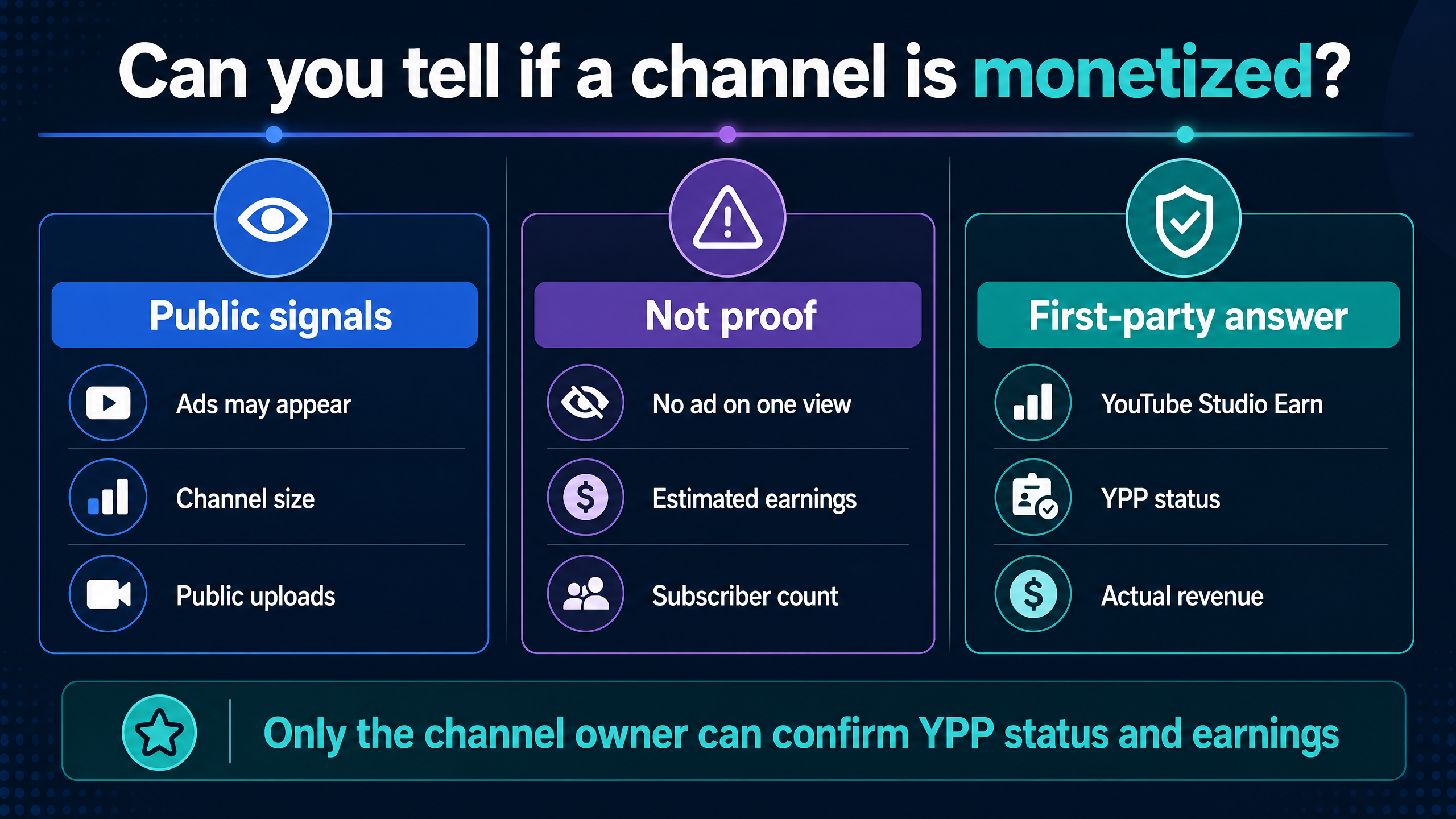
The confidence gap matters: public signals can suggest monetization, but YouTube Studio confirms it for the channel owner.
How can you monetize your own YouTube channel?
Start by checking the Earn area in YouTube Studio. YouTube will show whether you can apply, what requirements remain, and which modules you can activate.
YouTube lists several earning methods, including Watch Page Ads, Shorts Feed Ads, Channel Memberships, Shopping, Super Chat, Super Stickers, Super Thanks, and YouTube Premium revenue.
Each method has its own eligibility requirements and terms. You may need to accept the relevant module before earning from that feature.
How do Watch Page ads work?
Watch Page Ads can appear before, during, after, or around eligible long-form or live videos. YouTube Premium revenue can also apply when a Premium subscriber watches eligible content.
You must accept the Watch Page Monetization Module and follow advertiser-friendly guidelines. YouTube says the creator must have the necessary rights to the visual and audio elements in the video.
How do Shorts Feed ads work?
Shorts Feed ad revenue comes from ads shown between Shorts. YouTube says creators must accept the Shorts Monetization Module, and eligible views must come from content that follows its advertiser-friendly guidelines.
Shorts can help you reach viewers, but Shorts views do not convert into long-form watch hours for the 4,000-hour threshold.
How do memberships, Supers, and Shopping work?
Channel Memberships let eligible viewers make recurring payments in exchange for perks. Super Chat and Super Stickers support live streams and Premieres, while Super Thanks lets viewers make a one-time contribution on eligible content.
Shopping can connect a creator’s store to YouTube or allow eligible creators to promote products from other brands. The available tools depend on region, channel status, product category, and YouTube’s current eligibility rules.
Can you monetize without YouTube ads?
Yes. You can earn through sponsorships, affiliate links, products, services, memberships outside YouTube, or direct audience support. These methods do not prove that a channel belongs to YPP, and they require their own disclosure, tax, contract, and platform-policy decisions.
Do not label a sponsor payment as YouTube ad revenue. Keep your media kit, invoices, affiliate reports, and YouTube earnings reports separate.
How much money does one million YouTube views make?
No public formula can tell you exactly how much a channel earns from one million views. A rough ad-revenue estimate uses this formula:
Estimated ad revenue = monetized views ÷ 1,000 × assumed RPM
If you assume 400,000 monetized views out of 1,000,000 total views and an illustrative $5 RPM, the estimate would be:
400,000 ÷ 1,000 × $5 = $2,000
That $2,000 is an example, not a benchmark or promise. Change the assumed monetized-view share or RPM and the result changes immediately. Sponsorships, memberships, Premium revenue, affiliate sales, and product revenue sit outside that calculation.
A public earnings checker usually cannot see the values that matter most: the channel’s true monetized-view share, audience geography, content suitability, ad demand, revenue split, Premium viewing, and non-ad income.
Use ranges rather than one number. For a research note, write “a third-party estimate based on stated RPM assumptions” instead of “this channel earns $X.”
Why can a monetized video earn little or nothing?
A channel can have YPP access without earning the same amount from each upload. YouTube may limit ads based on advertiser-friendly guidelines, the creator may not enable ads on a video, a viewer may not receive an ad, or the video may attract limited eligible inventory.
Copyright claims, invalid traffic, rights issues, refunds, adjustments, withheld payments, seasonality, and changes in audience geography can also affect earnings. A public viewer cannot see those private account details.
YouTube continuously checks channels in YPP for policy compliance. It may limit, suspend, or terminate monetization when a channel violates the relevant policies.
What changed from the 2023 and 2024 monetization rules?
Older guides often repeat the 1,000-subscriber and 4,000-hour route without mentioning earlier YPP access. YouTube’s current creator-facing guidance includes a 500-subscriber route for certain fan-funding and Shopping features, plus the higher route for ads and YouTube Premium revenue.
Do not use a 2023 or 2024 article as your only source for current thresholds. YouTube updates availability, feature eligibility, policy language, and product modules. Check the current Earn area for your country and the official help pages before applying.
The policy language also changed in July 2025 when YouTube renamed “repetitious content” to “inauthentic content” to clarify that repetitive or mass-produced material remains ineligible for monetization.
How do you check a channel without misleading yourself?
Use this five-step public workflow when you are researching a competitor, podcast, creator, or potential partner:
1.Open the channel’s public page and record the channel name, handle, public subscriber display if available, recent uploads, and niche.
2.Review several recent videos rather than one. Note whether ads appeared, but record the device, viewer context, date, and video format.
3.Look for visible earning features such as Join, Super Thanks, live-funding features, Shopping elements, or paid-promotion disclosures.
4.Run a third-party checker only as a public-data estimate, and save its assumptions and date.
5.Report the result with uncertainty: “public signals suggest possible monetization; YPP approval and actual revenue remain unconfirmed.”
Do not contact a creator pretending to be YouTube support. Do not try to access private dashboards, bypass account controls, or use leaked credentials. Ask for a media kit or first-party analytics screenshot when a business decision requires stronger evidence.
What should creators do before applying to YPP?
Audit the whole channel, not just the subscriber count. Remove or improve videos that rely on copied material without significant commentary, repetitive production, misleading metadata, rights you cannot document, or mass-produced formats that add little original value.
Check that your channel theme remains clear. Review the most-viewed and newest videos first because YouTube says reviewers may focus on those areas.
Prepare a rights folder for music, stock footage, images, clips, voice recordings, and licensed assets. YouTube says creators must have the necessary rights to the visual and audio elements when turning on ads.
Then check two-step verification, advanced features, country availability, strikes, and AdSense for YouTube setup before applying.
FAQ: YouTube monetization and channel checks
Is this channel monetized?
A public viewer usually cannot confirm another channel’s YPP status. Ads and earning-feature buttons may provide clues, but only the owner can confirm the status in YouTube Studio’s Earn area.
How can I check if a YouTube channel is monetized?
Review several public videos and visible earning features, then treat any third-party checker as an estimate. Do not state that the channel is confirmed monetized unless the owner shares first-party evidence.
Does an ad prove a YouTube channel is monetized?
No. An ad proves that an ad appeared in that viewing context. It does not prove that the creator receives revenue from the ad.
Does no ad prove that a YouTube channel is not monetized?
No. YouTube does not guarantee an ad on every view, and monetization can vary by video, viewer, inventory, settings, and advertiser suitability.
Can a YouTube monetization checker confirm YPP status?
No. A checker can analyze public signals and estimate possible earnings, but it cannot see another creator’s private Earn tab, AdSense account, accepted modules, or actual revenue.
What is the YouTube Partner Program?
YPP is YouTube’s partner program that gives eligible creators access to monetization features, revenue-sharing opportunities, and creator support.
What are the current YouTube monetization requirements?
The higher ad-revenue route requires 1,000 subscribers plus either 4,000 qualified public long-form watch hours in the past 12 months or 10 million qualified public Shorts views in the past 90 days. Earlier access can begin at 500 subscribers, three public uploads in 90 days, and either 3,000 qualified long-form watch hours or 3 million qualified Shorts views, subject to additional requirements and regional availability.
Can I monetize YouTube with 500 subscribers?
Eligible creators can receive earlier access to some fan-funding and Shopping features at the lower threshold. The 500-subscriber route does not automatically provide full Watch Page ad revenue.
Do Shorts watch hours count toward 4,000 hours?
No. YouTube says watch hours from Shorts views in the Shorts Feed do not count toward the 4,000 qualified long-form watch-hour threshold.
Do paid promotion views count toward YPP thresholds?
No. YouTube says watch time or views generated from ad campaigns do not count toward the relevant YPP thresholds.
How do I apply for YouTube monetization?
Open YouTube Studio, select Earn, choose Apply Now when eligible, accept the base terms, and set up or link an active AdSense for YouTube account. YouTube then reviews the channel.
How long does YPP review take?
YouTube says the review typically takes about one month, although delays can happen because of application volume, system issues, or resource limits.
Can a channel lose monetization?
Yes. YouTube continuously checks channels in YPP and can limit, suspend, or terminate monetization when channels violate relevant policies.
Can a channel earn money without YPP?
Yes. Sponsorships, affiliate links, products, services, and external audience-support methods can generate income without proving YPP participation. Those methods have separate disclosure and compliance obligations.
How much money does a channel make from one million views?
The amount varies. Use estimated monetized views divided by 1,000, multiplied by an assumed RPM, then label the output as an estimate. Public data cannot reveal the channel’s exact monetized-view share, RPM, or non-ad revenue.
Where can I find my actual YouTube earnings?
The channel owner can review revenue data in YouTube Studio and payment information through the linked AdSense for YouTube account. Public viewers cannot access those reports.
Are YouTube monetization rules from 2023 or 2024 still accurate?
Older articles may omit the current earlier-access route, policy wording, or feature-module changes. Use the current official YPP and monetization-policy pages for the latest thresholds and conditions.
Conclusion: can you tell if a channel is monetized?
You can observe public clues, but you cannot confirm another channel’s YPP status or actual earnings from ads, subscribers, views, or a third-party checker. The reliable first-party answer sits inside the owner’s YouTube Studio Earn area, monetization modules, Analytics, and AdSense reports.
For your own channel, use the current YPP thresholds as a starting point, then check policy compliance, originality, rights, account security, region availability, and AdSense setup before applying.
Your next step is to paste a channel URL into YT Crew’s YouTube monetization checker, record the public signals and date, and label the result as an estimate rather than a confirmed YPP decision.