VidIQ can be worth paying for when keyword research, topic selection, or pre-publish optimization slows down your YouTube workflow. The free plan gives beginners enough access to test the product, while Boost offers the clearest value for creators who research each upload and need more than a few results. Max makes sense for heavier AI users, not for someone who publishes occasionally.
This VidIQ review focuses on the current free, Boost, Max, Coaching, and Enterprise structure, plus the shared AI-credit system that changes the value calculation. VidIQ’s official support documentation lists 150 monthly credits on Free, 2,000 on Boost, and 6,000 on Max for one channel.
The practical test matters more than the SEO score. If VidIQ changes the topic, title, thumbnail direction, or research process behind your next upload, a paid plan may earn its cost. If it only gives you more numbers to watch, the free plan or YouTube Studio may serve you better.
You will find current US list prices, a Free-versus-paid breakdown, VidIQ AI and SEO score guidance, a safety check, a VidIQ versus TubeBuddy comparison, and a credit-use formula. The formula shows how quickly different AI actions can consume a monthly allowance before you choose a plan. The fact table separates current plan limits from third-party review sentiment, so you can judge the subscription without treating marketing claims as performance guarantees.
What is VidIQ?
VidIQ combines YouTube keyword research, competitor and trend discovery, channel analysis, video optimization, browser-extension insights, AI assistance, and creator education. Its web app and extension place research signals near the pages where you plan, watch, and publish videos.
The platform helps you make a better-informed publishing decision. It cannot make YouTube recommend a video, guarantee subscribers, or replace a strong idea, thumbnail, opening hook, and satisfying video.
That distinction matters because creators often treat a VidIQ SEO score as a prediction. The score measures VidIQ’s optimization signals. It does not measure the full set of audience and recommendation signals that shape impressions, clicks, watch time, and satisfaction.
Is VidIQ worth paying for in 2026?
VidIQ earns a paid subscription when you use it often enough to make better decisions or save measurable research time. A weekly creator who researches several topics, tracks competitors, and uses the extension during every upload has a stronger value case than a creator who publishes once a month.
The strongest paid use cases include search-led tutorials, software reviews, product explainers, educational videos, and channels that need a repeatable topic-research process. Boost also helps when the Free plan’s three keyword results per search, limited Outlier results, or limited idea history interrupts your workflow.
A browse-driven entertainment channel may get less from a keyword-first workflow. In that case, packaging, viewer curiosity, format, and retention deserve more attention than chasing a higher score.
A practical VidIQ value formula
Use this test before you subscribe:
Paid value per decision = monthly plan cost ÷ meaningful publishing decisions changed by the paid features.
Suppose Boost costs $19 for one month and its research changes four upload decisions. You spend $4.75 per changed decision. If the plan changes none, you spend $19 for information that did not affect your channel.
Track the result for one billing cycle. Write down the topic you would have chosen, the topic you chose after research, the packaging change, the time saved, and the result in YouTube Studio. Do not credit VidIQ for a view increase without separating topic, packaging, audience fit, and execution.
How much does VidIQ cost?
VidIQ offers a Free plan, Boost, Max, Coaching, and Enterprise options. The official VidIQ-versus-TubeBuddy comparison listed these US prices on August 7, 2026. Prices, taxes, discounts, channel counts, regional offers, and billing terms can change, so check the checkout total before paying.
Plan | Month-to-month | Annual billing | AI credits per month for one channel | Best fit |
Free | $0 | $0 | 150 | Testing the workflow and occasional research |
Boost | $19/month | $199/year, about $16.58/month | 2,000 | Active creators who need deeper research |
Max | $49/month | $468/year, about $39/month | 6,000 | Heavy AI users and deeper Coach work |
Coaching | Offer varies | Offer varies | 6,000 listed in support documentation | Creators who want human guidance |
Enterprise | Custom | Custom | Custom | Agencies, brands, MCNs, and teams |
The annual Boost price requires an upfront $199 payment. The annual Max price requires an upfront $468 payment. Compare the same billing term when you compare VidIQ pricing with TubeBuddy or another tool.
VidIQ’s public pricing page describes Boost as its popular advanced plan and Max as its highest self-serve plan. Coaching adds one-on-one support, while Enterprise adds team access, permissions, onboarding, and cross-channel reporting
Does VidIQ still have a Pro plan?
VidIQ support documentation still lists Pro in the credit table, with 1,000 monthly AI credits for one channel. The current public plans page emphasizes Free, Boost, and Max, so Pro may describe a legacy or transitional account rather than the main public entry plan. Check your account and the live checkout page before treating VidIQ Pro as a current option.
How do VidIQ AI credits work?
VidIQ shares one monthly credit balance across resource-intensive AI tools. AI Coach messages, thumbnail generations, scripts, clipping, Shorts generation, titles, descriptions, Remix, and comment assistance can draw from the same balance.
VidIQ says unused credits do not roll over, and the company does not currently sell extra credits as a separate add-on. You must wait for the next reset or move to a higher or multi-channel plan when the balance runs out.
AI action | Credit cost |
AI Coach Fast or Regular message | 10 credits |
AI Coach Deep Thinking message | 25 credits |
AI Coach Max Mode message | 35 credits |
Thumbnail generation, regeneration, or edit | 22 credits |
Script Writer | 1 credit per selected script minute |
Clipping | 9 credits per input-video minute |
Shorts Generator | 20 credits per output second |
Title Generator | 3 credits for up to three titles |
Description Generator | 1 credit |
Remix | 3 credits |
Use this formula to estimate capacity:
Theoretical maximum actions = monthly credits ÷ cost per action.
Free can support up to 15 regular AI Coach messages if you spend no credits elsewhere. Boost can support up to 90 Deep Thinking messages under the same unrealistic condition. A 30-second Shorts generation would consume 600 credits before you use any other AI feature.
Those examples show capacity, not a promise of useful output. Your real allowance depends on the mix of actions you choose, and the credit meter refreshes monthly on your billing or upgrade anniversary.
Which VidIQ features help YouTube creators most?
Does VidIQ keyword research help?
Keyword research remains VidIQ’s clearest reason to pay. The tool surfaces related terms, demand signals, competition, questions, rising phrases, and a proprietary score that helps you compare ideas before you film.
Use it to narrow a broad idea into a specific question that fits your audience. Then check your own YouTube Studio traffic sources and past videos before you commit. VidIQ can show opportunity signals, but your channel history tells you whether the audience watched similar topics.
What does the VidIQ SEO score measure?
VidIQ’s SEO score summarizes tool-defined optimization signals such as keywords, tags, title, description, and related metadata. It can remind you to complete basic packaging work, but it does not forecast a guaranteed ranking or view count.
Treat the score as a checklist, not a target. A misleading title can score well and still disappoint viewers. A title with a lower score can outperform it when the idea, promise, thumbnail, and opening match the audience better.
Does VidIQ provide useful ideas and trend research?
VidIQ provides personalized and customized ideas, trends, Outliers, Most Viewed research, and competitor signals. The Free plan lists three personalized ideas per day, three lifetime customized ideas, and eight Outlier results per search. Boost, Max, and Coaching expand those limits substantially.
The useful move involves comparing a suggested idea with a real outlier, your audience, and your production ability. Do not copy the title or thumbnail. Look for the underlying promise, the unanswered question, the format, or the audience tension that you can approach from your own expertise.
What does VidIQ AI Coach do?
VidIQ AI Coach answers channel and content questions using VidIQ’s data and context. Fast responses suit narrow tasks. Deep Thinking and Max Mode consume more credits and suit larger comparisons or strategic prompts.
Ask for a decision, not a slogan. “Compare these three titles for beginner software creators and explain the trade-offs” gives the coach a clearer job than “How do I grow on YouTube?” Edit the response against your voice and audience knowledge before you publish.
Does VidIQ offer thumbnail A/B testing?
VidIQ offers thumbnail generation, editing, comparison, and analysis, but its current comparison page does not list a dedicated split-testing workflow. YouTube Studio offers native title and thumbnail testing for eligible videos, while TubeBuddy provides its own testing workflow.
That difference matters if you want to measure packaging variants on published videos. VidIQ can help you create and assess options, but you need a separate testing route to compare live variants.
Is VidIQ free enough for beginners?
The Free plan works as a real test rather than a full replacement for a paid workflow. It includes 150 monthly AI credits, limited keyword and Outlier results, three personalized ideas per day, tracking for up to three competitors, selected scorecards, real-time stats, and limited extension research.
Stay on Free if you publish irregularly, already know your niche, or use VidIQ only to check an occasional keyword. Upgrade to Boost when the limits interrupt research on several uploads and when you can name the feature that changes your next decision.
Max deserves a higher bar. Pay for it only when you use Max Mode, the larger credit allowance, deeper AI workflows, higher competitor limits, or short-form generation often enough to justify the annual commitment.
Is VidIQ safe and legitimate?
VidIQ appears to be an established creator platform rather than an anonymous browser add-on. VidIQ says it holds certified YouTube service-provider status and follows a privacy policy for customer information.
Those statements come from VidIQ, so they do not replace your own permission review. Use the official Google sign-in flow, read the permissions screen, protect your Google account with strong authentication, and remove VidIQ’s access when you stop using the service.
VidIQ’s help documentation explains why it requests YouTube permissions. Review the access scope before you authorize a channel, especially if you manage a client account or several channels.
Third-party sentiment gives a mixed but useful picture. Trustpilot displayed a 3.9 rating from 1,363 reviews when checked, while Capterra displayed 4.3 from 61 reviews. Those sites collect opinions, not controlled performance tests. Review themes praise keyword research, workflow convenience, support, and channel guidance, while complaints mention AI output, credit limits, extension problems, billing clarity, and the learning curve.
VidIQ vs TubeBuddy: which tool fits your workflow?
This VidIQ versus TubeBuddy review comes down to the job you need to complete. VidIQ leans toward research, topic ideas, competitor and Outlier discovery, AI-assisted planning, and creator guidance. TubeBuddy leans toward testing and bulk management across an existing video library.
Decision area | VidIQ | TubeBuddy |
Topic and keyword research | Strong fit for search-led planning and rising terms | Strong research tools with a different workflow |
Competitor and Outlier research | Strong fit for idea and channel discovery | Available, but less central to its positioning |
AI ideas and planning | Strong fit for channel-aware prompts and Coach guidance | Offers AI topic and title tools |
Thumbnail workflow | AI generation, editing, comparison, and analysis | Generator, analyzer, and testing workflow |
Dedicated A/B testing | No dedicated VidIQ split-test tool | Available through TubeBuddy’s workflow; YouTube Studio also supports eligible tests |
Bulk channel management | Limited emphasis | Stronger for bulk metadata, cards, end screens, and catalog work |
Best starting choice | Choose VidIQ for deciding what to make next | Choose TubeBuddy for managing and testing a large library |
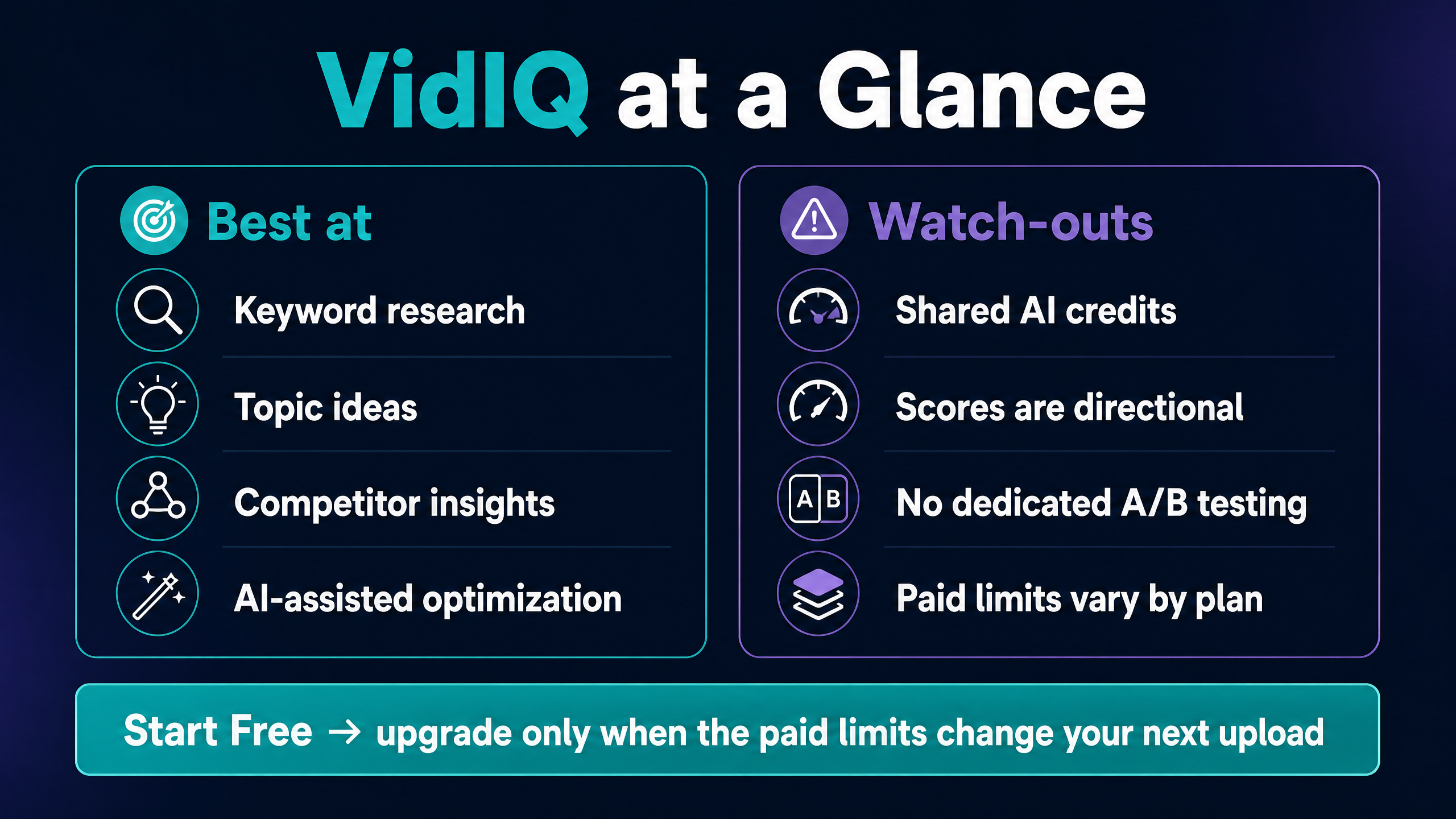
Choose VidIQ if your bottleneck appears before filming. Choose TubeBuddy if you already know what to publish and need to update, test, or manage many existing videos.
You can use both extensions, but the YouTube interface can become crowded. Test one workflow at a time so you can tell which tool changes your decision.
VidIQ pros and cons
What does VidIQ do well?
VidIQ puts keyword research, topic ideas, competitor context, optimization signals, and AI assistance in one creator workflow. The browser extension reduces tab switching, and the Free plan gives you enough access to judge whether the interface suits your channel.
The product also offers more than keyword data. Its Outliers, trends, channel audit, subscriber insights, education, and optional coaching give beginners a structured research routine.
What are VidIQ’s main drawbacks?
The shared credit system adds a recurring budgeting constraint. Thumbnails, clipping, Shorts, and deeper AI Coach conversations can reduce the same balance, and unused credits do not roll over.
The platform can also encourage score chasing. A full SEO checklist cannot compensate for a weak idea, an unclear promise, a poor thumbnail, or low viewer satisfaction. Creators who need authenticated revenue, retention, and audience analysis should treat YouTube Studio as the source of truth for their own channel.
Does VidIQ offer promo codes and coaching?
VidIQ provides a checkout field for promo codes, according to its support instructions. The code may carry eligibility rules, expiry dates, or plan restrictions, so confirm the final price and renewal amount before you submit payment.
VidIQ Coaching adds one-on-one YouTube guidance, feedback, and a personalized growth plan. The coaching plan does not fit a normal software-to-software comparison because you pay for human support as well as access to the platform.
If you need accountability, coaching may justify a higher price than software alone. If you need keyword depth, start with Free or Boost and measure whether the research changes your uploads.
Final verdict: Is VidIQ worth it?
This VidIQ review reaches a neutral, practical verdict. VidIQ is worth testing for any creator who wants help with topic research, keywords, competitors, Outliers, or pre-publish optimization. Boost becomes worth paying for when the Free plan’s limits repeatedly block decisions that matter to your channel.
Max suits heavy AI users who will consume its larger credit balance and deeper Coach features. Coaching suits creators who value human accountability. TubeBuddy fits better when bulk channel management or dedicated testing matters more than research and ideation.
Start with VidIQ Free and use it on three real upload decisions. Record what changed, how much time you saved, and which result you checked in YouTube Studio. If the paid limits change the next upload, compare the current checkout price with the value of that decision. If they do not, keep your money and use YT Crew’s free creator tools for the next task.
FAQ: common VidIQ questions
Is VidIQ worth it for a small YouTube channel?
VidIQ can help a small channel structure topic research and compare search opportunities, but the Free plan should come first. Pay only when the extra research depth changes several upload decisions in a billing cycle.
Is VidIQ free?
Yes. VidIQ offers a $0 Free plan with 150 monthly AI credits and limited keyword, idea, competitor, Outlier, scorecard, and extension access.
How much is VidIQ Boost?
The current US list price shown in VidIQ’s comparison page is $19 per month month-to-month or $199 per year, which equals about $16.58 per month when you pay annually.
How much is VidIQ Max?
VidIQ Max appears at $49 per month month-to-month or $468 per year, which equals about $39 per month on annual billing in the cited US price snapshot.
What is the difference between VidIQ Boost and Max?
Boost includes 2,000 monthly AI credits for one channel. Max includes 6,000, plus deeper Max Mode AI, more AI Coach conversations, and higher short-form generation capacity.
Does VidIQ guarantee more views?
No. VidIQ provides research and recommendations. Your topic, packaging, content quality, audience fit, viewer satisfaction, and publishing execution still determine what happens after upload.
Does VidIQ replace YouTube Studio?
No. VidIQ supports discovery and pre-publish decisions. YouTube Studio remains the better source for your channel’s first-party performance, including the metrics tied to your own uploads.
Is VidIQ safe to connect to YouTube?
VidIQ says it holds YouTube service-provider certification and follows a privacy policy. Review the Google permissions screen, use official sign-in, protect your account, and remove access if you stop using the service.
Does VidIQ help with YouTube Shorts?
Yes. VidIQ lists Shorts scorecards, clipping, and Shorts generation among its tools. Shorts generation uses the shared AI-credit balance, so check the credit cost before generating multiple clips.
Can I cancel VidIQ anytime?
VidIQ’s support instructions direct paid subscribers to Account Settings, Manage Plan, and the cancellation flow. App Store and Google Play subscriptions require cancellation through the store that processed the payment.
Does VidIQ have a promo code?
VidIQ supports promo-code entry during checkout, but availability and eligibility can change. Apply the code before payment and verify both the discounted amount and the renewal price.